
Aaron Leitz
2y ago
Photographer | Artist
I've been a professional photographer for 17 years and the most important improvement you can make to your photos is to keep the horizon level. A level horizon in your photos relaxes the viewer and invites them into the image.
Sometimes it's not always possible to get a photo with our iPhone that is perfectly level. Sometimes we just forget. Luckily it's an easy fix with the iPhone's photo editing tools.
On your iPhone tap on the photo you want to level and then tap "edit." Across the bottom of the screen are three icons. Tap the third one on the far right that looks like a crop tool.
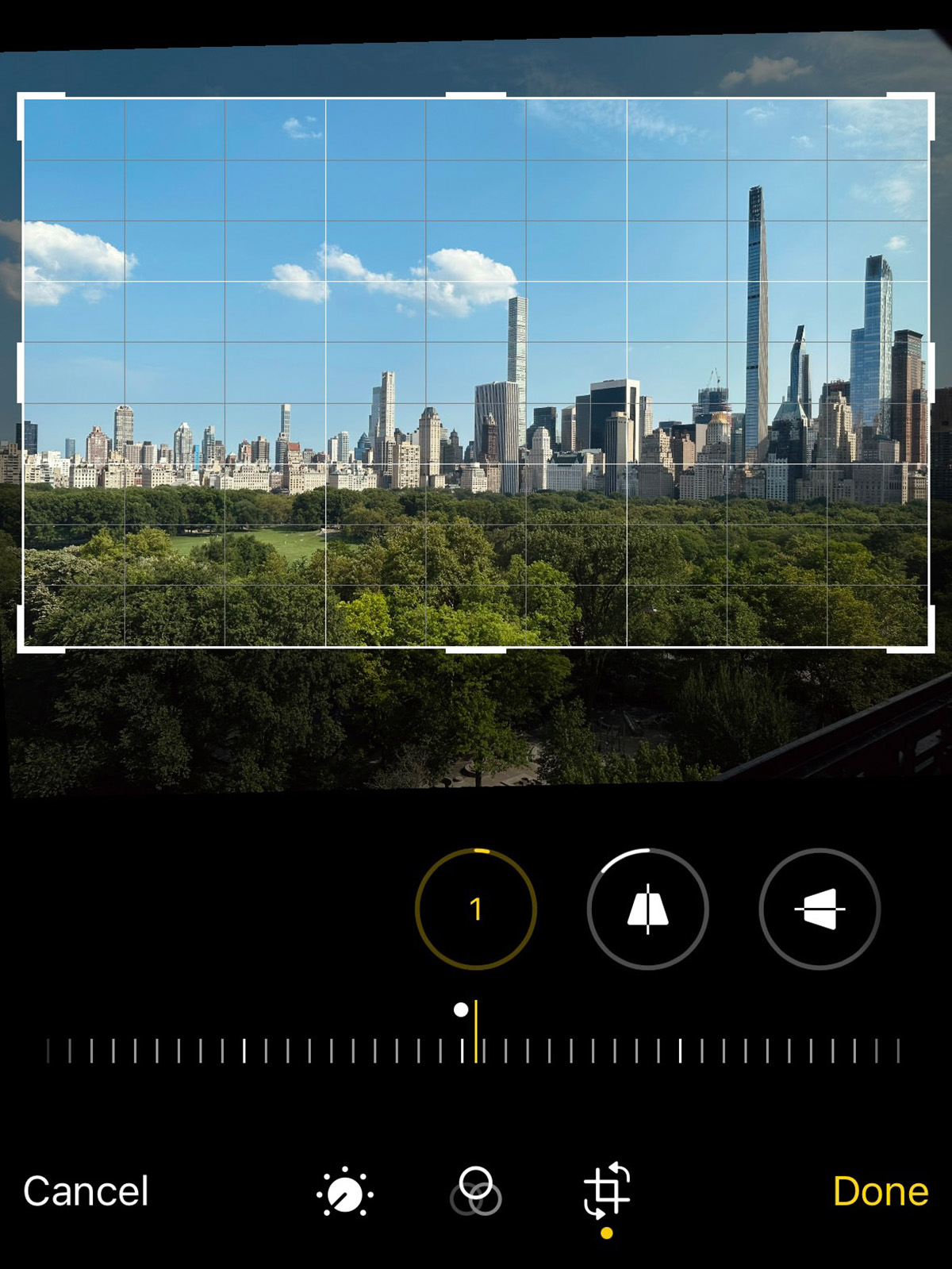
There are three adjustment tools to use to perfect the perspective of your image:
Use the first adjustment tool to rotate the image to get a perfectly level horizon
Bonus Adjustments:
Use the second adjustment tool to tilt the image forwards and backwards to make vertical lines perfectly vertical
Use the third adjustment tool to tilt the image left and right to make horizontal lines perfectly horizontal
That's all there is to it. No more wacky landscape photos where trees and buildings look like they're about to topple over. And no more family portraits that look like everyone is about to slide off of the screen!