LinkedIn Hashtags: Do They Still Work? What 3 Studies Say, How Many To Use, And What Gets Your Posts Found Instead
Sam ShoreNovember 25, 2026
LinkedIn hashtags, settled by 3 studies: whether they still add reach, how many to use (0 to 2), where to put them, and what gets your posts found instead.
Ask whether LinkedIn hashtags still work and you'll get two confident answers that can't both be true.
One study says posts with hashtags get 85% more impressions. Another says hashtags change nothing, and a third or more cost you reactions. Meanwhile half the posts in your feed still end in a row of tags like #Leadership #Growth #Mindset, and you can't tell if those writers know something you don't.
They mostly don't.
I build Typeshare, the app writers use to draft and schedule their LinkedIn posts, so I've had to decide what our LinkedIn Agent does with hashtags. (It writes posts with none, unless you ask for them.) This guide is how we got there: three studies covering more than 900,000 posts, what LinkedIn itself changed and said, and the rules that came out of it. Every number below is read off its source and linked, checked on November 25, 2026.
You'll get the short answer first, then each study. After that come how many hashtags to use, which ones to pick and what gets a post found now. If you're still working out the basics of a post, start with the LinkedIn post size specs. Once it's written, post it at the best time to post on LinkedIn for your readers. Typeshare for LinkedIn does the queueing. You do the writing; the robots do the rest.
Do Hashtags Work On LinkedIn? The Short Answer
Hashtags on LinkedIn don't hurt in small doses, and they don't help much either.
That's where the evidence lands when you weigh it. The one study that compares each writer against their own past posts found that 1 or 2 hashtags made no difference at all, and 3 or more cost a few percent of reactions. LinkedIn stopped letting members follow hashtags, and a LinkedIn product leader said the hashtag feed was going because "people were not really using it." The one study that shows a big lift compares writers who use hashtags with writers who don't, which tells you more about the writers than the tags.
So here's the rule we follow:
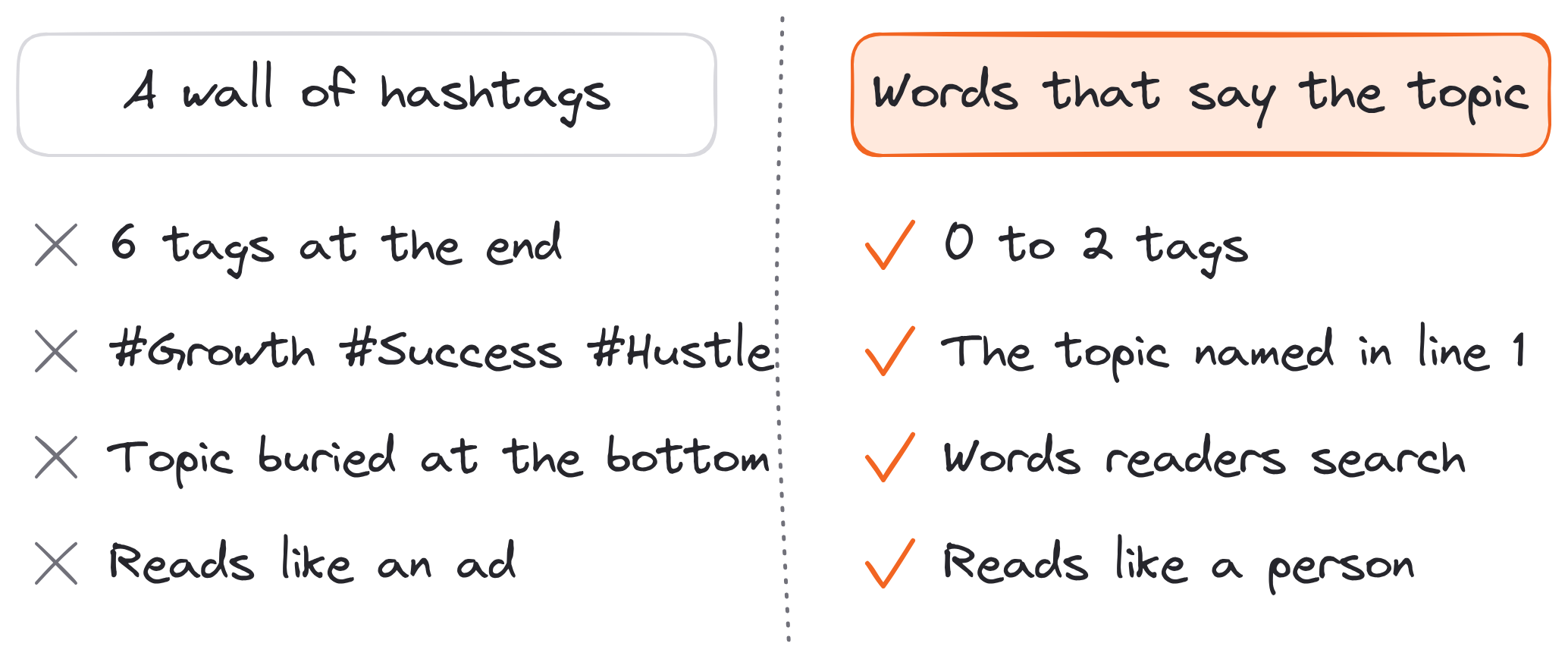
- Use 0 to 2 hashtags. More than that costs you, and fewer costs you nothing.
- Put them at the end. A tag in the middle of a sentence makes it harder to read.
- Say the topic in words. The first line of the post does the work hashtags used to do.
That's the short answer. The rest of this guide is the evidence, so you can decide for yourself whether hashtags work on LinkedIn for you.
Study #1: Metricool Says LinkedIn Hashtags Add 85% More Impressions
Metricool's study is the one most "yes, use hashtags" articles quote.
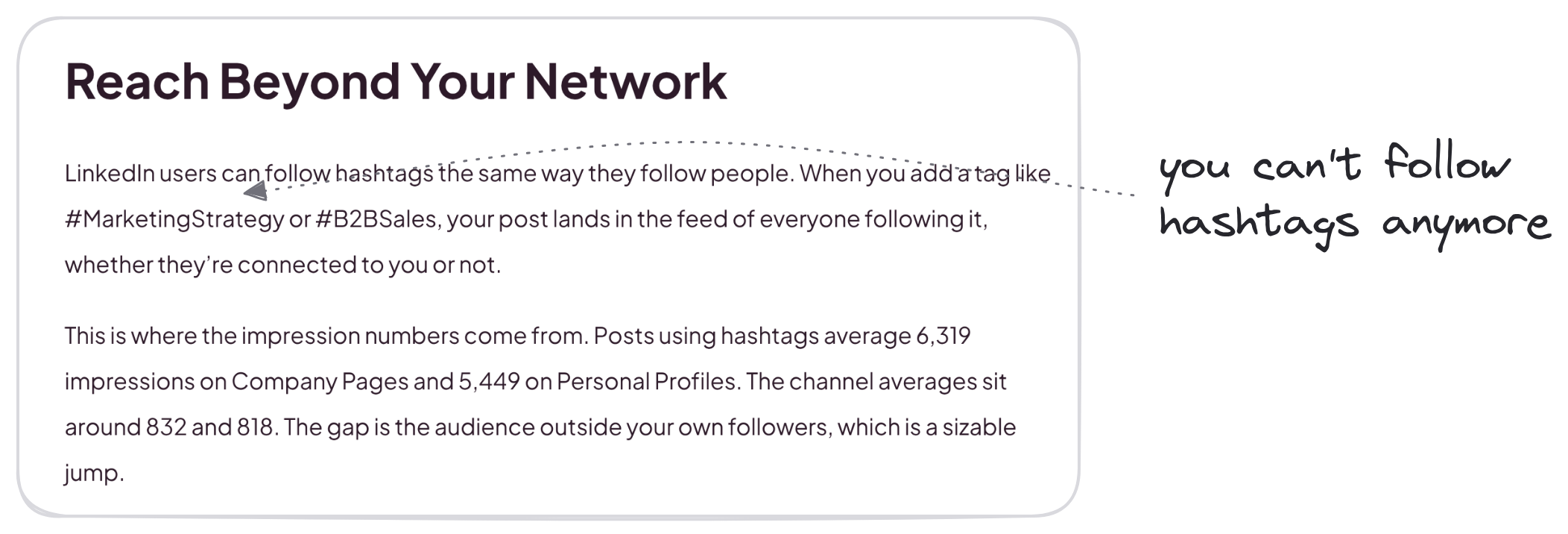
Its 2026 LinkedIn study, dated June 9, 2026, looked at 673,658 posts from 63,108 accounts. Its headline finding is that posts with hashtags got 85% more impressions than the channel average, on Company Pages and personal profiles alike. Its "sweet spot" is 1 to 5 hashtags per post. And most accounts already use them: 64% of Company Pages and 54% of personal profiles add at least one.
Before you copy it, look at three things.
- It compares different accounts. Posts with hashtags are measured against the average of all posts, from all accounts. The writers who bother with hashtags might also post more often or already have bigger audiences. The study can't separate the tag from the person.
- Its numbers don't line up. The page gives 6,319 average impressions for Company Page posts with hashtags against an 832 channel average, and 5,449 against 818 for personal profiles. Those gaps are around 7 times, far bigger than 85%. Something in the method isn't shown on the page.
- Its reason is out of date. The page explains the lift by saying "LinkedIn users can follow hashtags the same way they follow people." You can't anymore (more on that in Study #3).
Its engagement numbers tell a quieter story. Engagement rate on personal profiles was 1.82% with hashtags against 1.77% without, a gap you'd struggle to notice in your own analytics. And the average personal post that used hashtags carried 6.72 of them, well past Metricool's own sweet spot.
So Metricool shows that hashtags on LinkedIn are popular. It doesn't show that LinkedIn hashtags are what gets those posts seen.
Study #2: Flypost Says Hashtags On LinkedIn Change Nothing
Flypost asked a better question: what happens when the same writer adds hashtags?
Its LinkedIn algorithm study covers 116,000+ posts from 2,400+ business-to-business (B2B) creators, posted from October 2025 to September 2026 (last verified October 17, 2026). It compares each creator against their own posts, with at least 3 posts on each side, so a big account can't skew the result. It counts reactions and comments only.
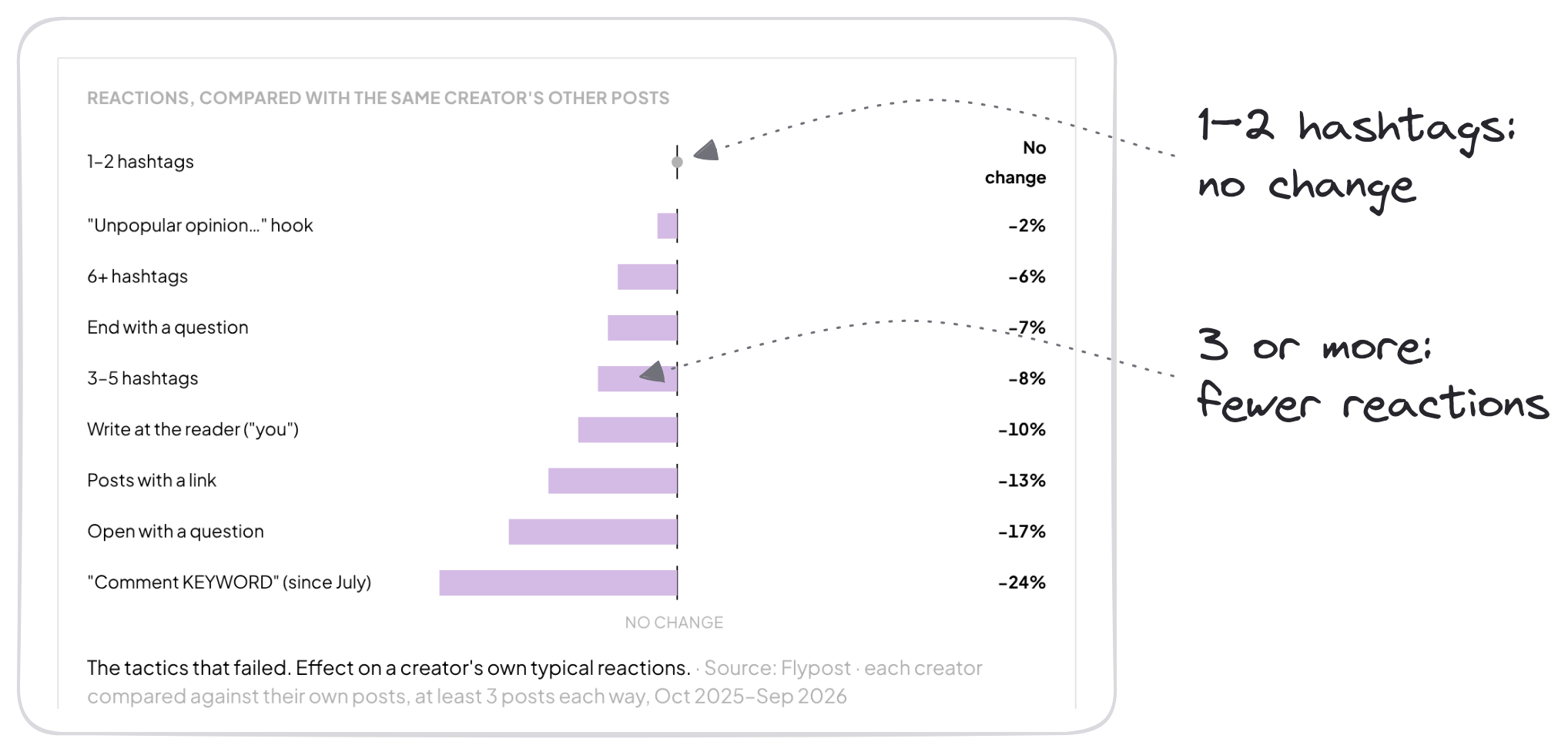
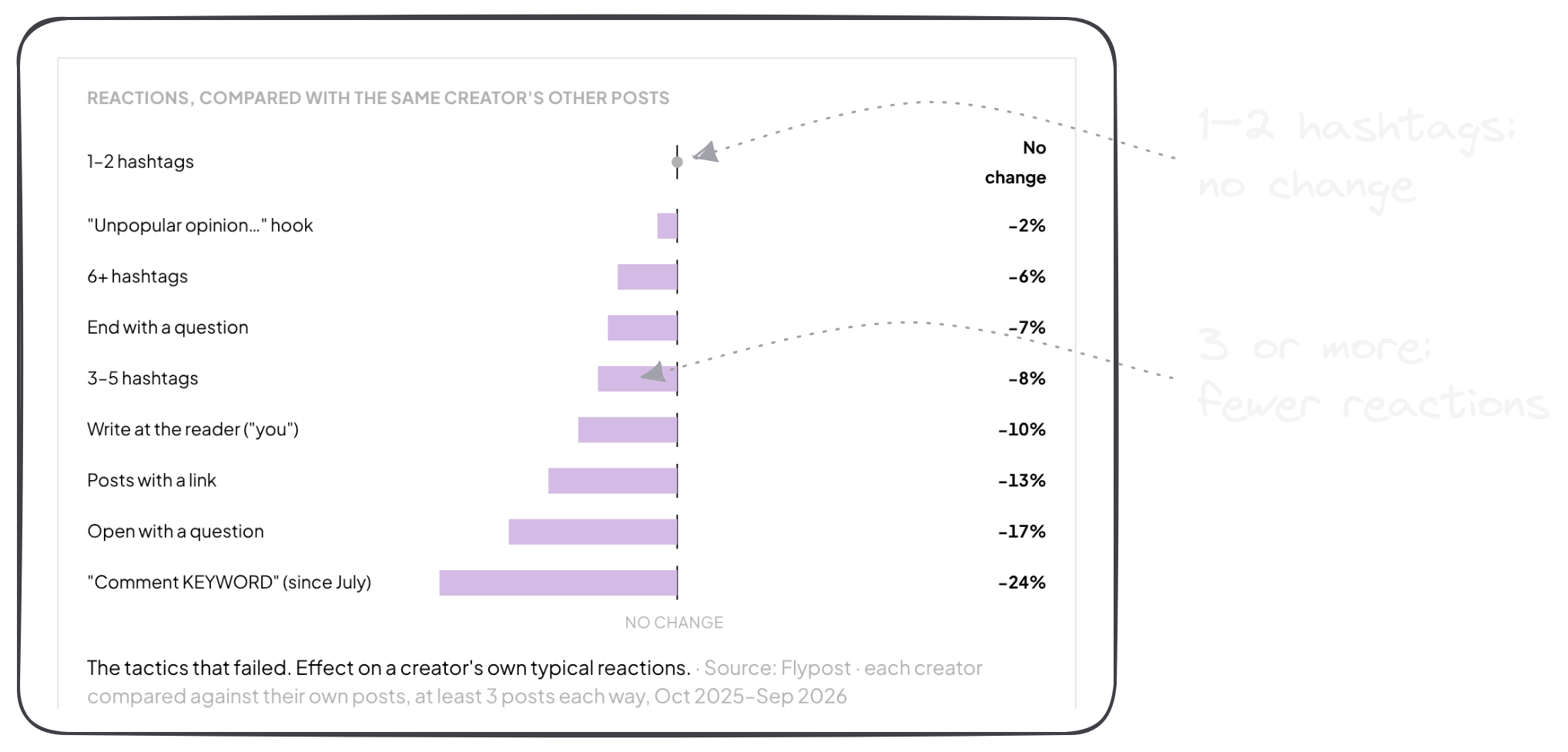
Here's what it found for hashtags:
- 1 to 2 hashtags: no change. Across 907 creators, the typical post did as well as the same writer's posts without them.
- 3 to 5 hashtags: 8% fewer reactions, across 971 creators.
- 6 or more hashtags: 6% fewer reactions, across 699 creators.
Look at where hashtags sit on that chart. They're in the list Flypost calls "the tactics that failed," next to opening with a question and adding a link. And the range that cost the most, 3 to 5, is the range most hashtag guides still tell you to use. Flypost points this out itself: "Three to five is the exact range that cost the most in ours."
There's one caveat. Flypost measured reactions only, so a post could in theory be seen by more people and still get fewer reactions. But if hashtags brought in a crowd of new readers, you'd expect at least a few of them to react.
So in the study built to isolate the tag, hashtags on LinkedIn change nothing, until you add too many.
Study #3: Richard van der Blom Says LinkedIn Hashtags Stopped Adding Reach
The third source has watched hashtags longest, and LinkedIn's own moves back it up.
Richard van der Blom publishes a yearly report on the LinkedIn algorithm. In January 2024, Social Media Today reported his findings: for the previous couple of years, using 3 to 10 hashtags gave posts a significant reach boost, and now hashtags give no additional reach at all. LinkedIn's own line at the time was modest. "Using hashtags can be a helpful tool for viewers to easily identify what a post is about and find other related posts."
Then LinkedIn started taking hashtags apart.
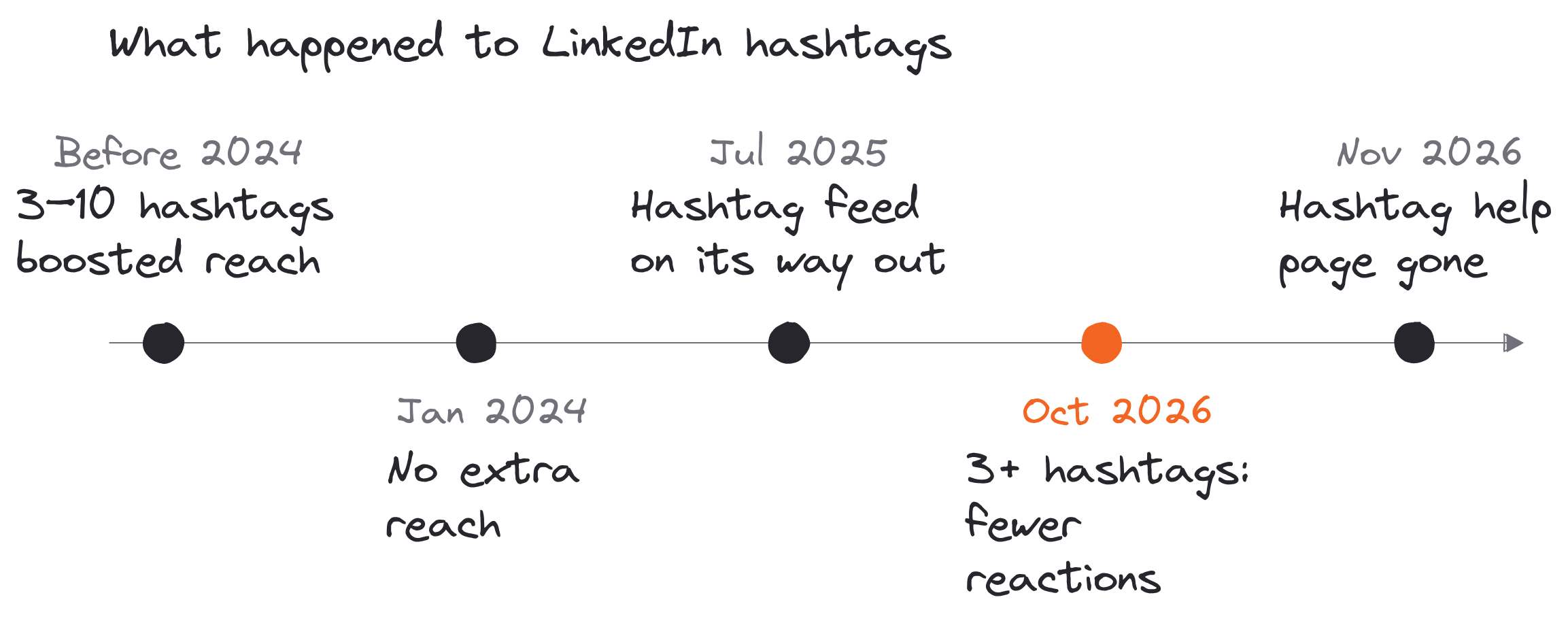
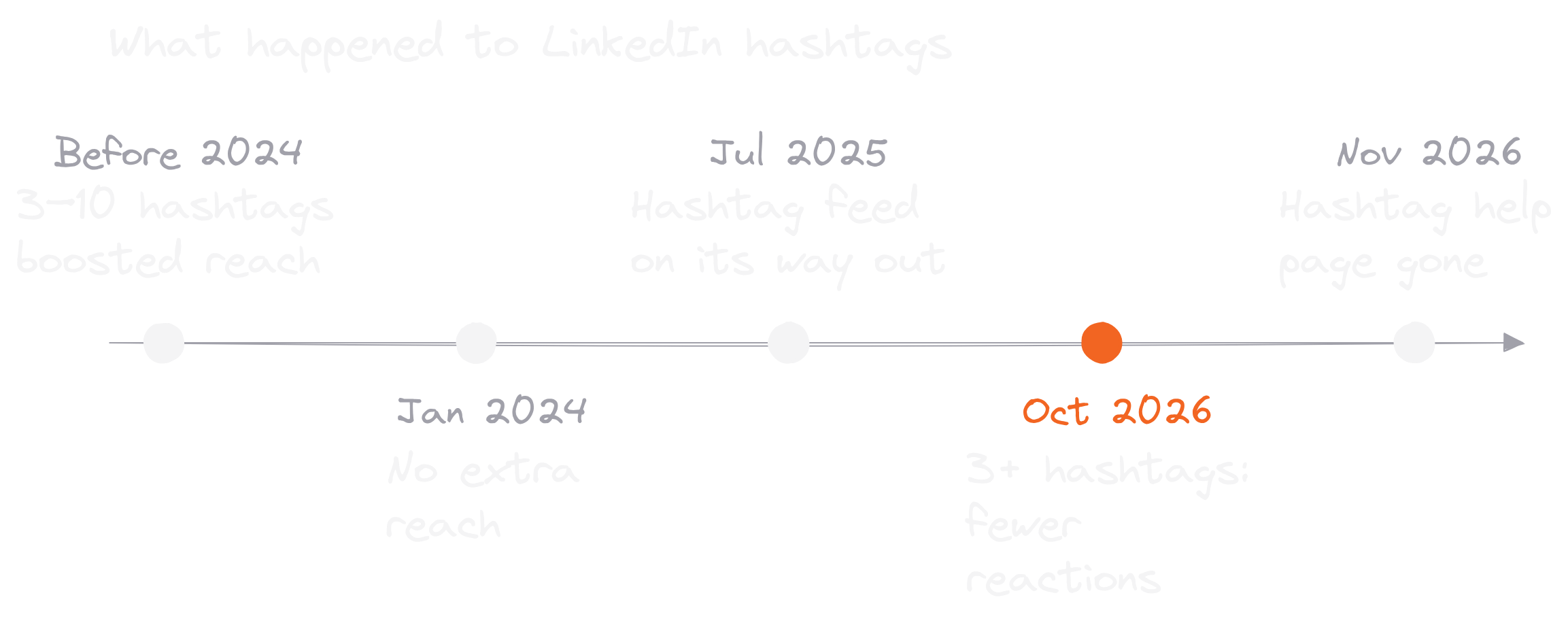
In July 2025, a LinkedIn product leader said in a video that the hashtag feed was being removed: "we used to have a hashtag feed in the past, but people were not really using it." The reason given was that "our feed algorithms have really evolved," so LinkedIn can tell what a post is about without tags. The advice was to use a few relevant hashtags for people searching a topic, and not to overdo it.
The follow button went too. Following a hashtag used to put a tag's posts in your feed, which is how hashtags once spread a post past your followers. That option is gone, and LinkedIn's own help article on using hashtags and following topics returned "page not found" when we checked on November 25, 2026.
Put those together and the history is plain. Hashtags worked when LinkedIn used them to deliver posts, and they stopped working when it found a better way to read a post. LinkedIn hashtags stopped adding reach because LinkedIn stopped needing them.
How Many Hashtags On LinkedIn? 0 To 2, At The End
How many hashtags on LinkedIn should you use? Two at most.
That number comes straight from the evidence. Flypost found 1 or 2 hashtags cost nothing, and 3 or more cost reactions. LinkedIn's own advice is "a few relevant ones." And there's no study above that shows 2 doing worse than 0, so if you like the tidy label at the end of a post, keep it.
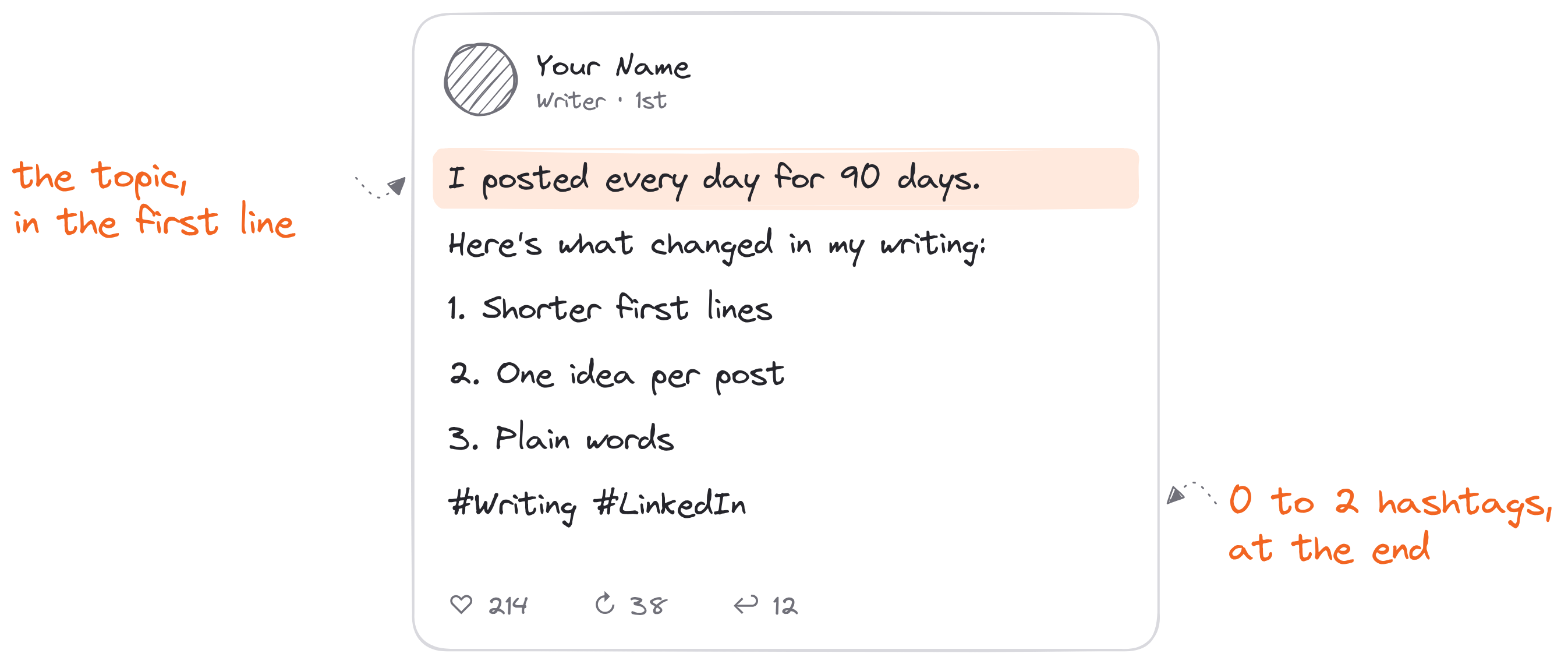
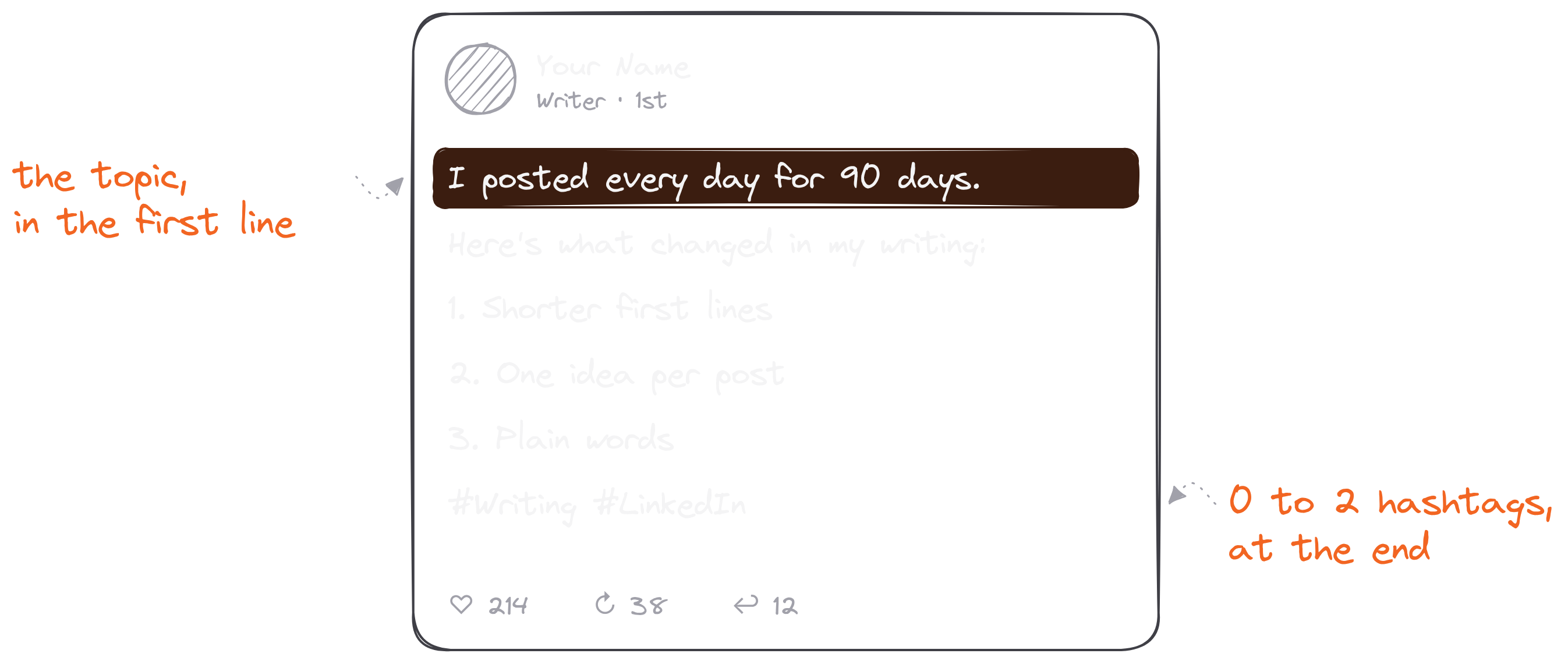
Here's how to add hashtags to a LinkedIn post without hurting it:
- Write the post first. Finish the hook, the body and the ending before you think about tags. If the post is good, tags are a footnote.
- Name the topic in the first line. "I posted every day for 90 days" tells LinkedIn and the reader what this is about. That line does more than any tag.
- Pick 1 or 2 tags that match it. One broad topic (#Writing) is enough. Add a second only if it's a different, real topic the post covers.
- Put them on the last line. Type # and the word, with no spaces inside the tag (#ContentStrategy, not #Content Strategy), and capitalize each word so it reads at a glance.
- Skip them in comments. A hashtag in a comment does nothing for the comment and makes it read like an ad.
Notice what's missing from that list: a minimum. Zero works fine. Our LinkedIn Agent writes posts with no hashtags at all unless you ask, and nothing we've read gives it a reason to start.
How many hashtags on LinkedIn, then? 0 to 2, at the end, after the post has already done its job.
Top LinkedIn Hashtags: How To Pick The 1 Or 2 You'll Use
Every list of top LinkedIn hashtags has the same problem: it ranks the tags and ignores your post.
Those lists rank tags by how many people followed them, and following is the feature LinkedIn removed. A tag with millions of old followers doesn't put your post in front of them now. So the "top" LinkedIn hashtags matter less than whether a tag says what your post is about.
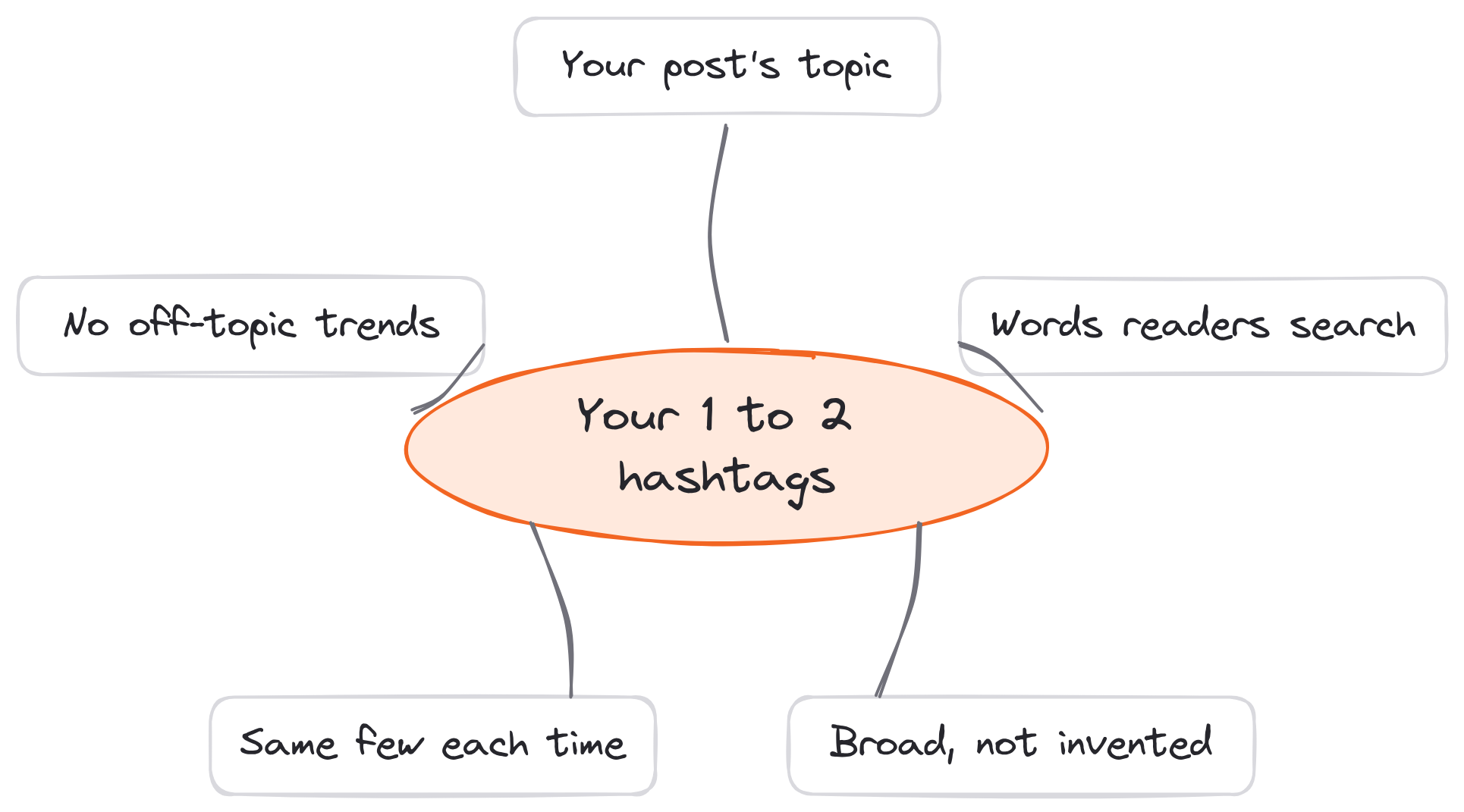
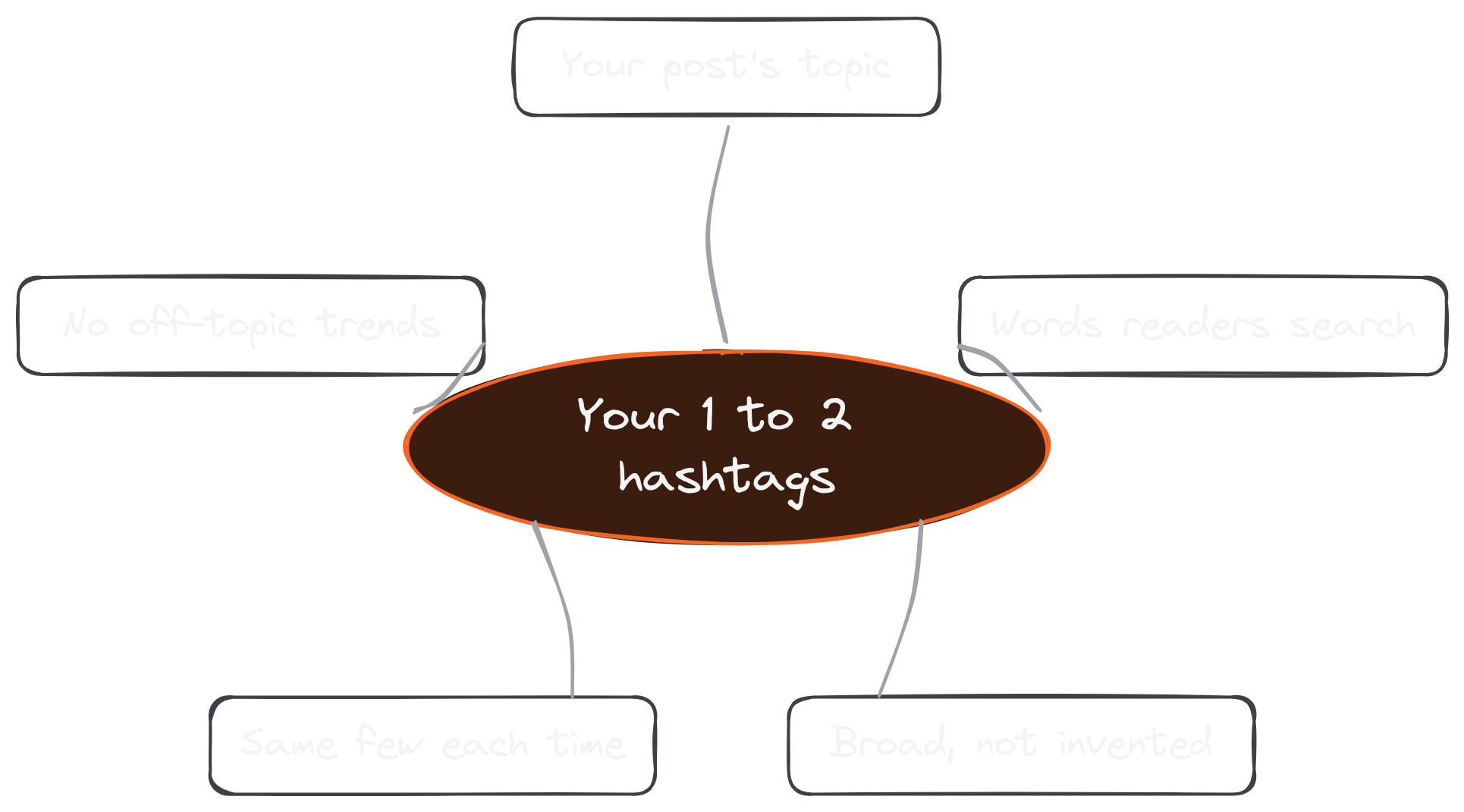
Pick yours with a few questions:
- Is it the topic of this post? The tag should name what these 200 words are about, which is narrower than your industry or job title.
- Would a reader search it? Plain words people type, like #Marketing, beat clever ones nobody looks for.
- Is it a real word? An invented tag (#MondayMindsetWithJess) has no one looking for it.
- Will you use it again? Using the same two or three tags across your posts ties them to one topic, so readers who find one can find the rest.
- Does it fit, or is it just trending? Riding a trending tag your post isn't about is the fastest way to look like spam.
If you want a place to start, these are common, broad hashtags people use on LinkedIn, grouped by topic (examples in no particular order):
- Writing: #Writing, #ContentCreation, #Copywriting
- Marketing: #Marketing, #DigitalMarketing, #ContentMarketing
- Leadership: #Leadership, #Management
- Careers: #Careers, #JobSearch, #Hiring
- Business: #Entrepreneurship, #Startups, #SmallBusiness
- Sales: #Sales, #B2B
- Tech: #AI, #ArtificialIntelligence, #Technology
- Your name: #PersonalBranding, if your post is about building one
Choose the one closest to your post and stop there. The top LinkedIn hashtags are the 1 or 2 that describe what you wrote.
What Gets Your LinkedIn Posts Found Instead Of Hashtags
If hashtags don't get your posts seen, what does?
The same things the studies keep pointing back to: the words in the post, the first line, and showing up. LinkedIn's product leader said its feed now reads what a post is about without tags. That means the words you choose are the label, and the first line decides whether anyone reads past it. Flypost's own list of what failed (opening with a question, adding a link) and LinkedIn's removal of the hashtag feed both say the same thing: tricks around the post matter less than the post.
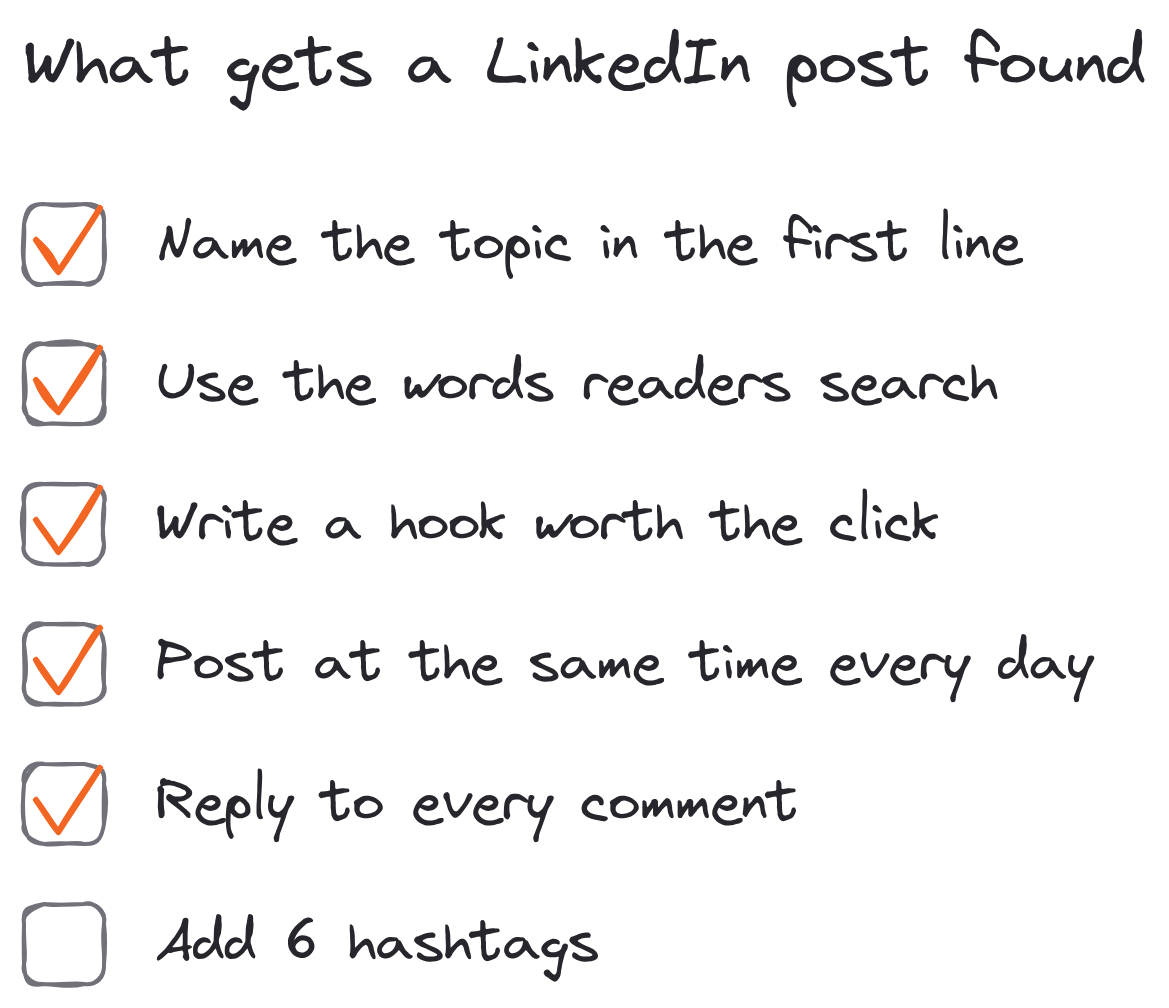
Here's what to do with the time you used to spend picking hashtags:
- Name the topic in the first line. Say what the post is about in the words a reader would use. That's your hashtag now.
- Use the words readers search. If your readers call it "cold email," don't call it "outbound prospecting." LinkedIn reads every word of the post.
- Write a hook worth the click. On LinkedIn, the first 2 or 3 lines show before "...see more," so how to write a hook matters more than any tag you add.
- Post at the same time every day. Readers who see you at 8 AM every day start looking for you at 8 AM. Find your slot with the best time to post on LinkedIn, then hold it.
- Reply to the comments you get. A conversation under a post keeps it in front of more people for longer, and it's the part you control after you hit post.
Then check your work. Open a post in LinkedIn's analytics and see who it reached; our guide to what post impressions on LinkedIn are explains each number. To test hashtags yourself, post a few weeks with 2 and a few weeks with none. Keep everything else the same and compare the typical post from each.
That's what gets your LinkedIn posts found now: words that say what the post is about, posted where your readers already look.
FAQ: Hashtags On LinkedIn
Do hashtags work on LinkedIn in 2026?
Not for reach. In the study that compares each writer with their own past posts, 1 or 2 hashtags made no difference and 3 or more cost 6 to 8% of reactions. LinkedIn removed the hashtag feed and the option to follow hashtags. A hashtag still labels the topic for people searching it.
Can you still follow hashtags on LinkedIn?
No. LinkedIn removed the option to follow a hashtag, and its help article on using hashtags and following topics returned "page not found" on November 25, 2026. You can still search for a hashtag to see posts that use it.
Where should hashtags go in a LinkedIn post?
At the end, on their own line. A hashtag in the middle of a sentence breaks it up, and the first line is better spent on your hook.
Should you use hashtags on a LinkedIn company page?
The same rule applies: 0 to 2 that match the post. Metricool found Company Pages used 5.85 hashtags per post on average, which is in the range Flypost found cost reactions for creators.
Do hashtags in LinkedIn comments do anything?
Nothing useful. They don't get a comment in front of more people, and a row of tags in a reply reads like an ad. Put your words there.
Does Typeshare add hashtags to LinkedIn posts?
Not by default. Typeshare's LinkedIn Agent writes posts with no hashtags unless you ask for them. If you want 1 or 2, tell it which ones, or add them yourself before the post goes out.