LinkedIn Post Size: 7 Specs That Keep Your Posts From Getting Cropped Or Cut Off (Plus How Often To Post)
Dickie BushNovember 11, 2026
LinkedIn post size in one page: the 3,000-character limit, image dimensions, carousel and video specs, plus how often to post to grow.
Nothing kills a good LinkedIn post faster than a bad crop.
You spend an hour on the words, attach the perfect image and hit Post. Then the feed slices your chart in half, hides your best line behind "…see more" or refuses the video outright. The writing was fine. The size was wrong.
I grew to 155,000+ followers on LinkedIn with one habit: publishing 1 post per day. Post every day and you learn fast what the feed does to a post that's the wrong size.
So here is every LinkedIn post size you need, in one place.
Each number below comes from LinkedIn's own help center (checked November 2026), with a screenshot so you can see it for yourself. After the 7 specs, I'll cover how often to post and what to post, because the right size only matters if you show up. If you're just starting, read how to become a LinkedIn content creator and pick a LinkedIn headline that turns profile visits into followers. When you're ready to write, Typeshare for LinkedIn lets you draft, format and schedule every post type below. You do the writing; the robots do the rest.
Here's the cheat sheet:
| What you're posting | The LinkedIn spec | | --- | --- | | Text | Up to 3,000 characters | | One image | At least 552 x 276 px, 1080 px wide recommended, 3:1 to 4:5, 5 MB | | Several images | Up to 20, shown at up to 4:5 | | Video | 3 seconds to 15 minutes, 75 KB to 5 GB, 1:2.4 to 2.4:1 | | Document (carousel) | PDF, PPT, PPTX, DOC or DOCX, up to 100 MB and 300 pages | | Article | For anything over 3,000 characters (desktop only) |
Spec #1: 3,000 Characters In A LinkedIn Post (And How To Post On LinkedIn)
A LinkedIn post can hold up to 3,000 characters.
That's the hard cap, and LinkedIn states it in its Post and share updates help page. Most good posts use well under half of it, and a post that hits the limit is usually two posts trying to share one space.


If you've never posted before, the steps are short:
- Click Start a post at the top of your LinkedIn homepage.
- Click your name to choose who can see the post (Anyone, Connections only or a Group) and who can comment.
- Write your post, and add a photo, video, poll or document with the icons below the text box.
- Click the Clock icon if you'd rather schedule it for a set date and time.
- Click Post.
You can also save a draft and finish it later, even on another device. (When I write a week of posts at once, I write them all in Typeshare and let the queue post one each morning.)
3,000 characters is the ceiling, and you'll rarely need all of it.
Spec #2: The "See More" Cut In The First Few Lines (How To Write A LinkedIn Post People Open)
The limit that matters most is the handful of lines above "…see more".
That's where the feed folds your post. LinkedIn doesn't publish where that cut falls, and it moves with the screen, the font size and how many line breaks you use. What doesn't move is the rule behind it: if your opening lines don't earn the click, the rest of the post doesn't exist. So spend more time on those lines than on any others.
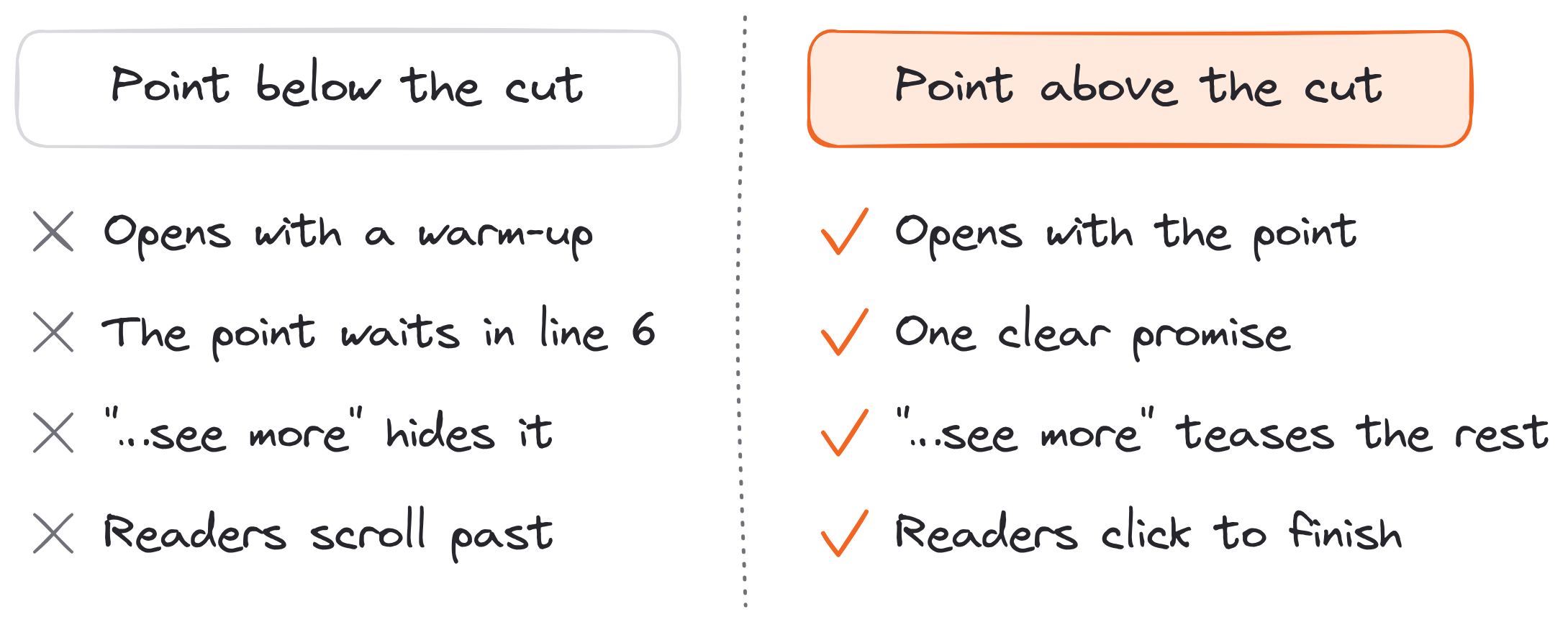
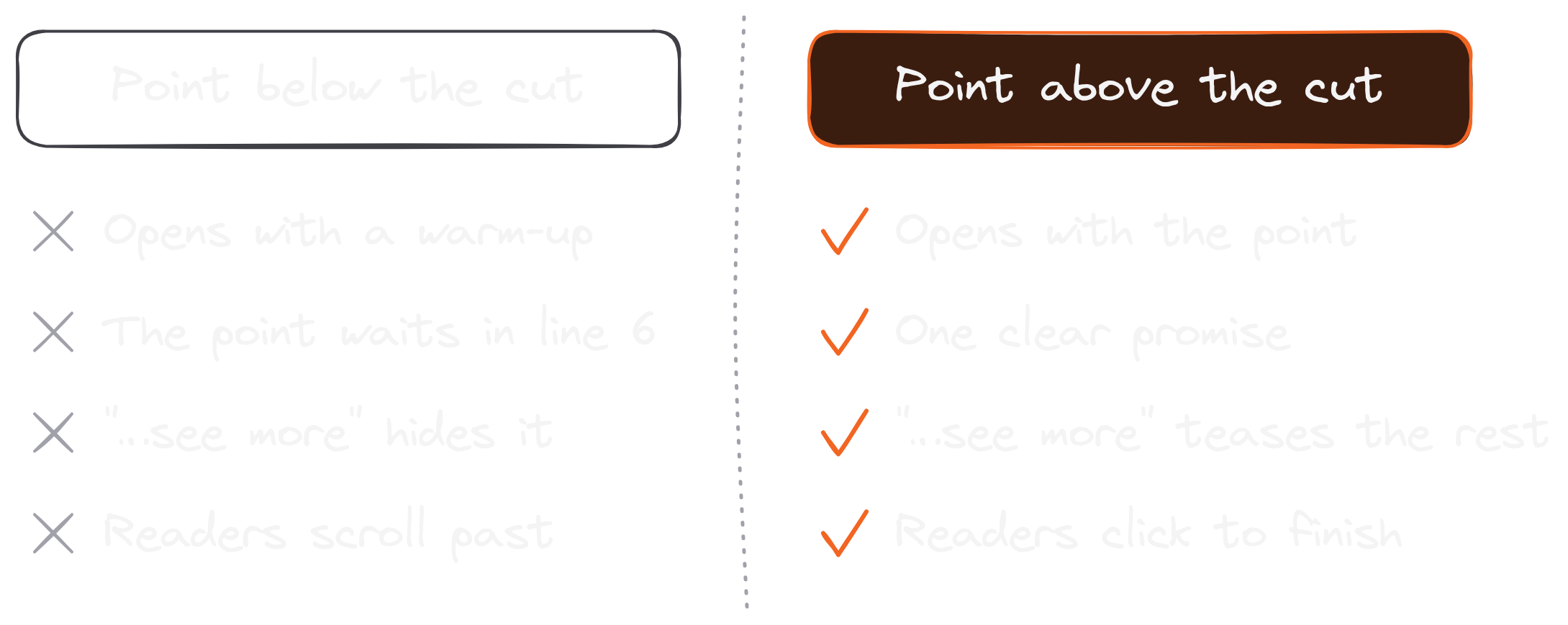
Three habits keep the point above the cut:
- Open with the point. Cut the warm-up sentence you wrote to get started. Your second sentence is usually the real first one.
- Make one promise. Tell readers what they get by clicking: a number, a result, a list.
- Keep the first line short. One sentence, on its own line, so the feed shows it whole.
If you want 100 opening lines to steal, here are hook examples sorted into 10 types.
The "see more" cut decides who reads the rest.
Spec #3: 1080 Pixels Wide For Your LinkedIn Post Image Size
A picture gets cropped when its shape falls outside LinkedIn's range.
According to LinkedIn's Share photos page, an image has to be at least 552 x 276 pixels, and LinkedIn recommends 1080 pixels wide. The aspect ratio can run from 3:1 (wide) to 4:5 (tall). Anything outside that range gets centered and cropped to fit, which is how charts lose their labels and faces lose their foreheads. Each upload can be up to 5 MB, and you can't resize or edit a photo after it's posted.
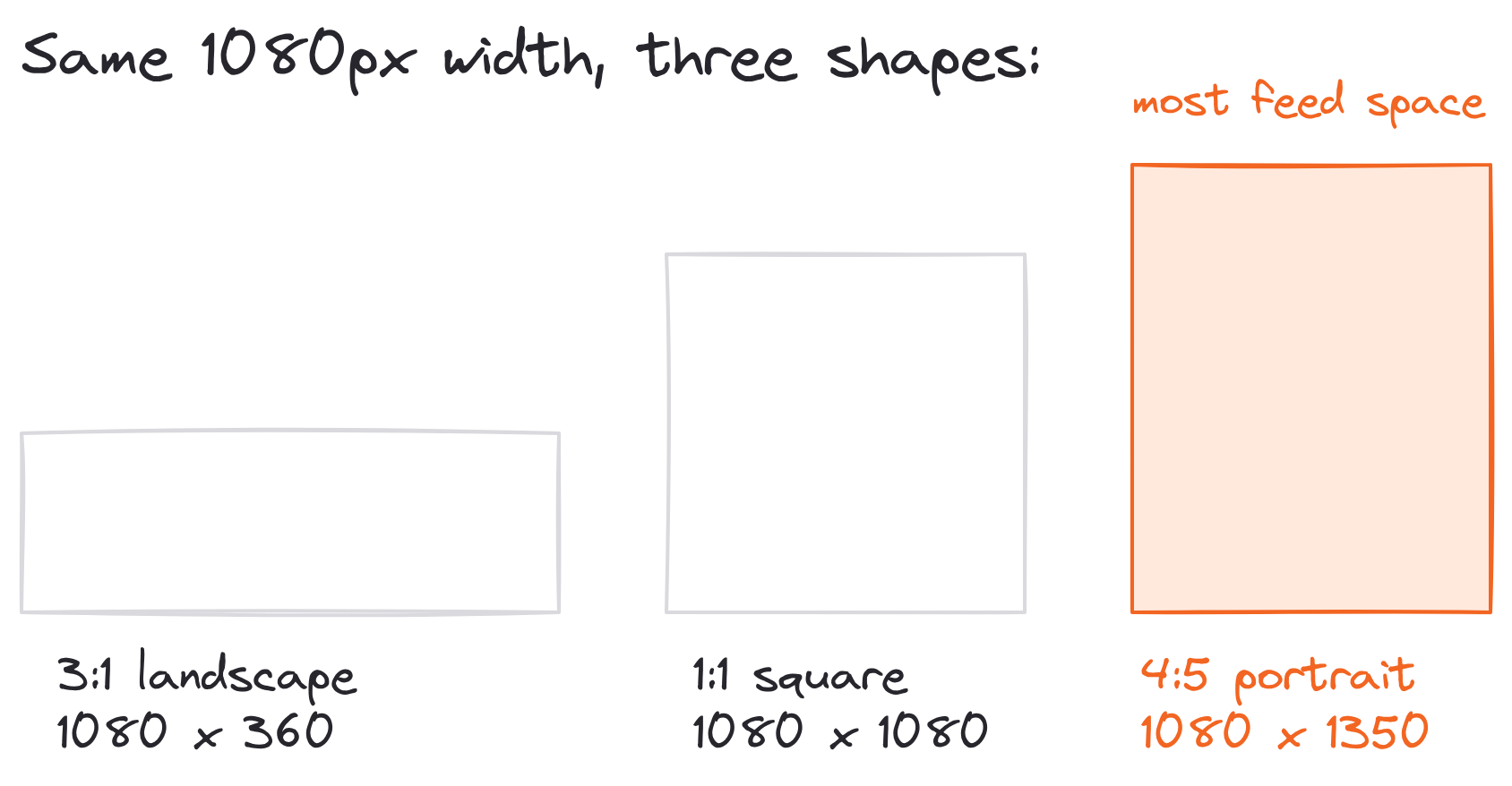
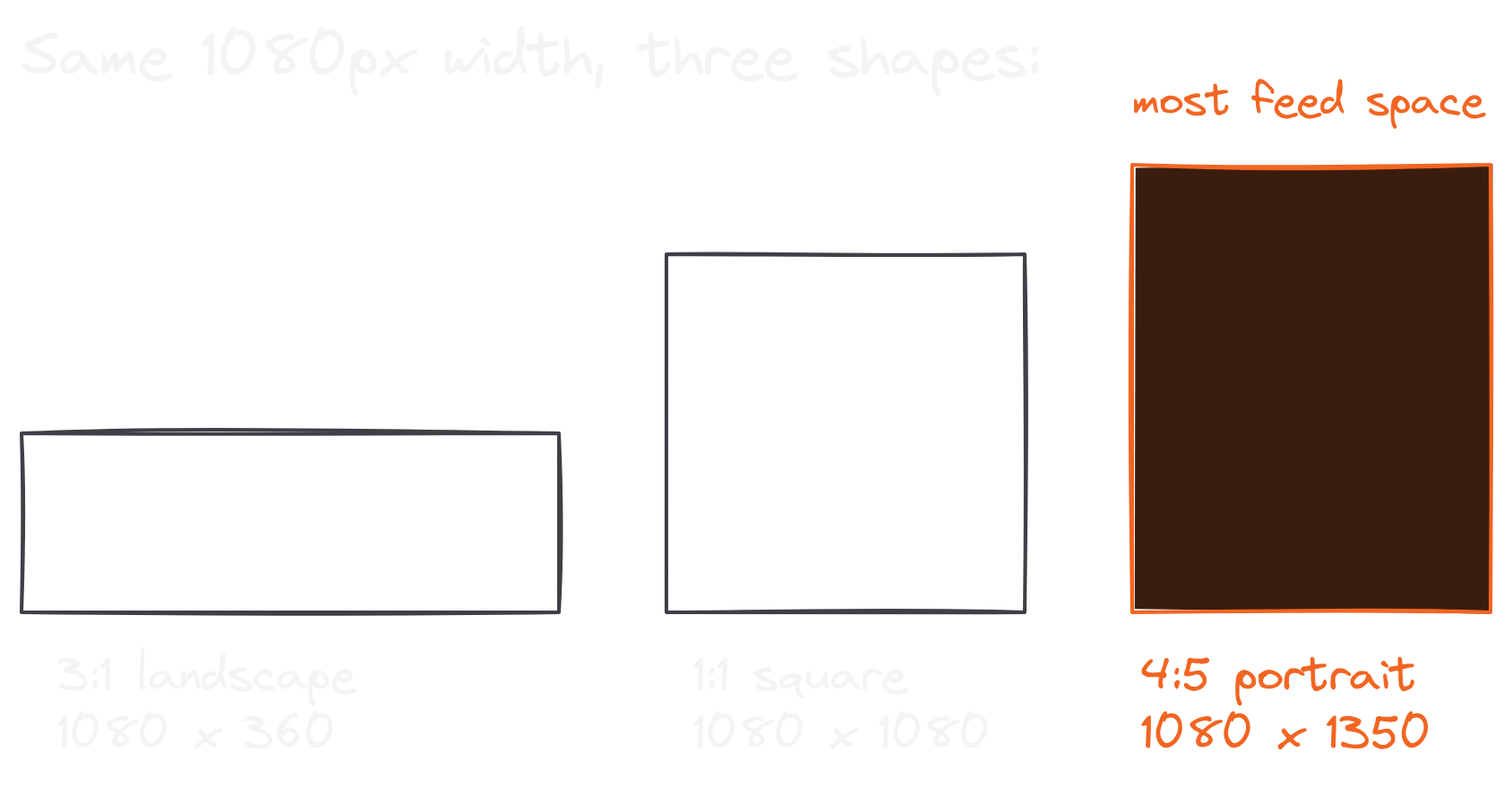
So the best image size for a LinkedIn post comes down to which shape you pick:
- 4:5 portrait, 1080 x 1350: the tallest shape LinkedIn allows, so it fills the most of the feed. Best for quotes and screenshots of writing.
- 1:1 square, 1080 x 1080: safe for anything, and the easiest to make.
- 3:1 landscape, 1080 x 360: a banner. Good for a wide chart, small on a phone.
Keep any text inside the image large. Most people will read it on a phone.
1080 pixels wide, in the right shape, is the LinkedIn post image size that never gets cropped.
Spec #4: Up To 20 Photos At 4:5 In A Multi-Image Post (LinkedIn Post Dimensions)
You can put up to 20 photos in one LinkedIn post.
The same help page covers multi-photo posts, and the dimensions work a little differently. Each image shows at a ratio of up to 4:5 (LinkedIn's example is 640 x 800 pixels), and the first image gets the most space. The layout of the whole post depends on the height and shape of that first image, so choose it on purpose. If it's portrait or square, it sits in a column on the left with the others stacked beside it.


One catch trips people up: a post can share a link or images, never both. If you attach photos, the link in your text won't get a preview card.
When you post several photos, three rules keep it clean:
- Put the strongest image first, since it gets the biggest spot.
- Make every image the same shape, so nothing gets cropped unevenly.
- Keep the set short (3 to 5 photos), because readers rarely tap through 20.
Up to 20 photos, 4:5 at most, and the first one decides the LinkedIn post dimensions.
Spec #5: 15 Minutes And 5 GB For A LinkedIn Video Post
LinkedIn's video limits are generous, but a few still catch people out.
Its video troubleshooting page lists them: a video can run from 3 seconds (2 seconds from the mobile app) to 15 minutes, and the file can be 75 KB to 5 GB. The resolution can be anything from 256 x 144 to 4096 x 2304, at an aspect ratio between 1:2.4 and 2.4:1. Frame rates run from 10 to 60 fps. LinkedIn takes MP4, MOV, WEBM and most other common formats, though a ProRes file may upload and then never finish processing.
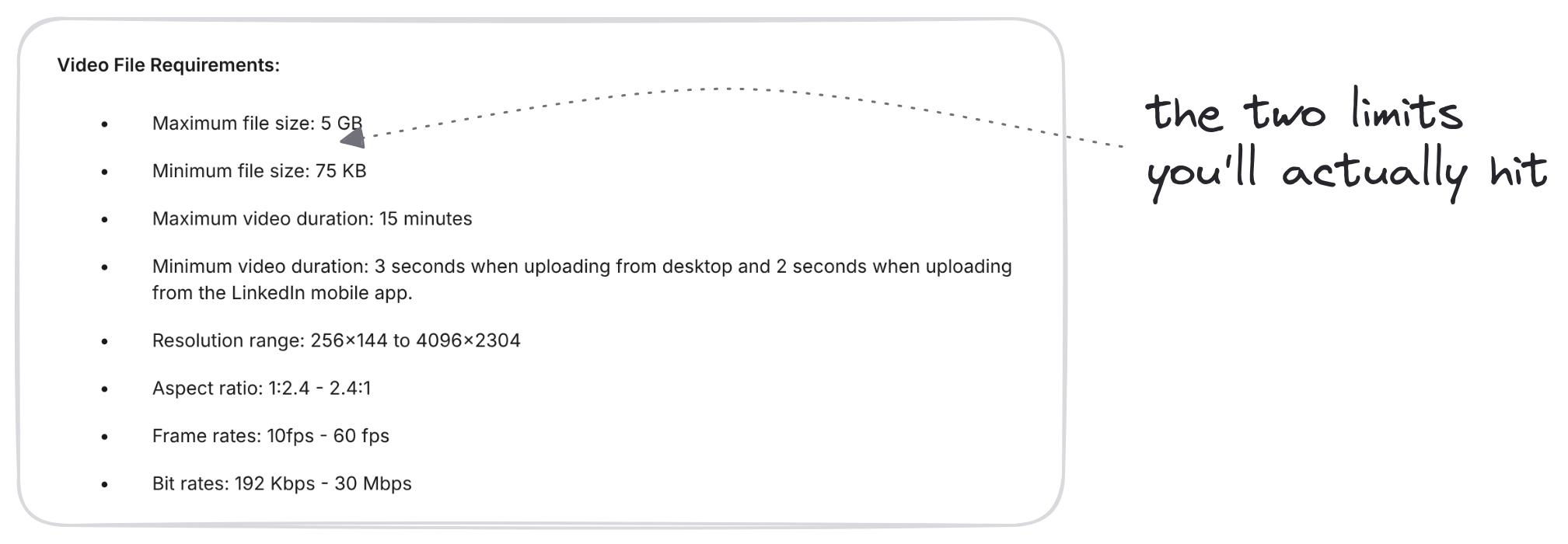
In practice, two of those limits are the ones you'll hit:
- 15 minutes. A recorded talk or webinar runs longer. Cut a 2-minute clip with the best idea instead.
- Safe zones. LinkedIn asks you to keep text and logos away from the edges, where its buttons sit on top of your video.
And add captions, for anyone scrolling with the sound off.
15 minutes and 5 GB cover almost any LinkedIn video post you'll make.
Spec #6: 300 Pages And 100 MB For A Document Carousel (LinkedIn Carousel Size)
A LinkedIn carousel is a document in disguise.
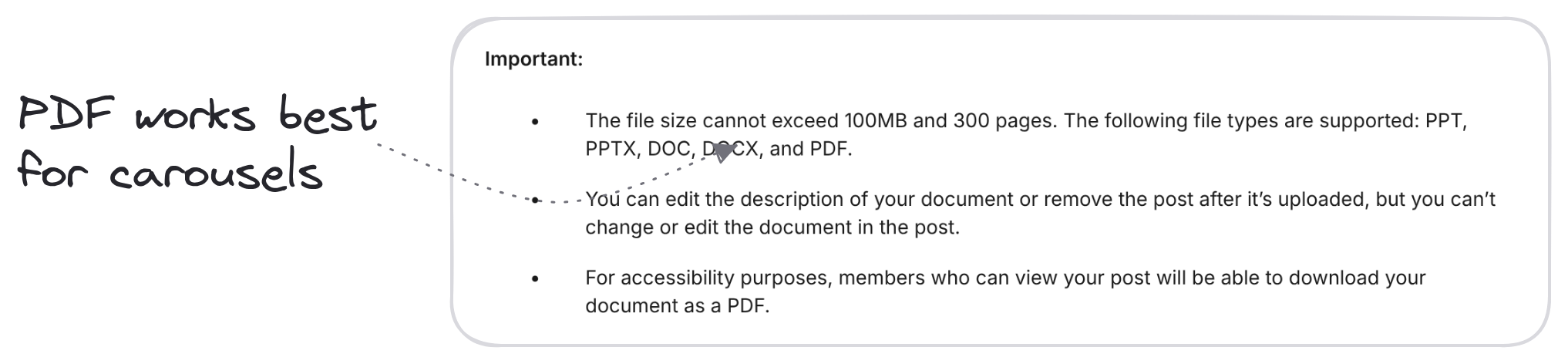
You upload a PDF (or a PPT, PPTX, DOC or DOCX) and LinkedIn shows it as slides people swipe through. LinkedIn's documents page sets the limits at 100 MB and 300 pages. You can edit the post's text after it's up, but not the document, and anyone who can see the post can download it as a PDF. Three hundred pages is far more than anyone will swipe, so the real limit is attention: 8 to 12 slides is plenty for one idea.
LinkedIn doesn't publish a page size for documents. Square (1080 x 1080) and portrait (1080 x 1350) are the two that look right in the feed, and portrait takes up more of the screen. Whichever you pick, use it for every page, export a PDF and check the text is readable on a phone.
You can build one without design software. In Typeshare, click Deck on the Write page, write each card (up to 20), pick a layout and publish: the whole Deck goes to LinkedIn as one swipeable PDF. Cole and I also wrote up how we make our carousels in Write With AI.
300 pages and 100 MB is the LinkedIn carousel size limit, and 10 good slides will do.
Spec #7: An Article For Anything Over 3,000 Characters (How To Post An Article On LinkedIn)
When a post outgrows 3,000 characters, LinkedIn wants it to be an article.
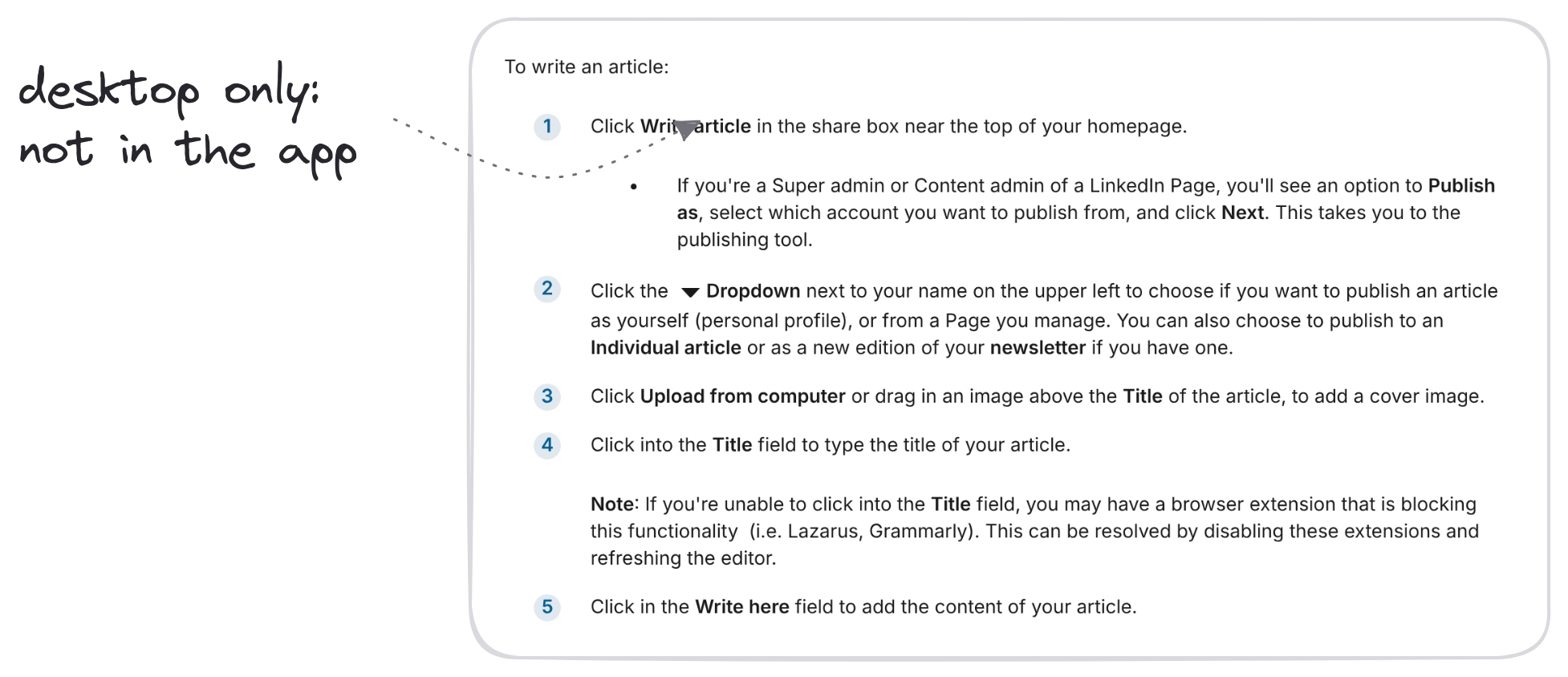
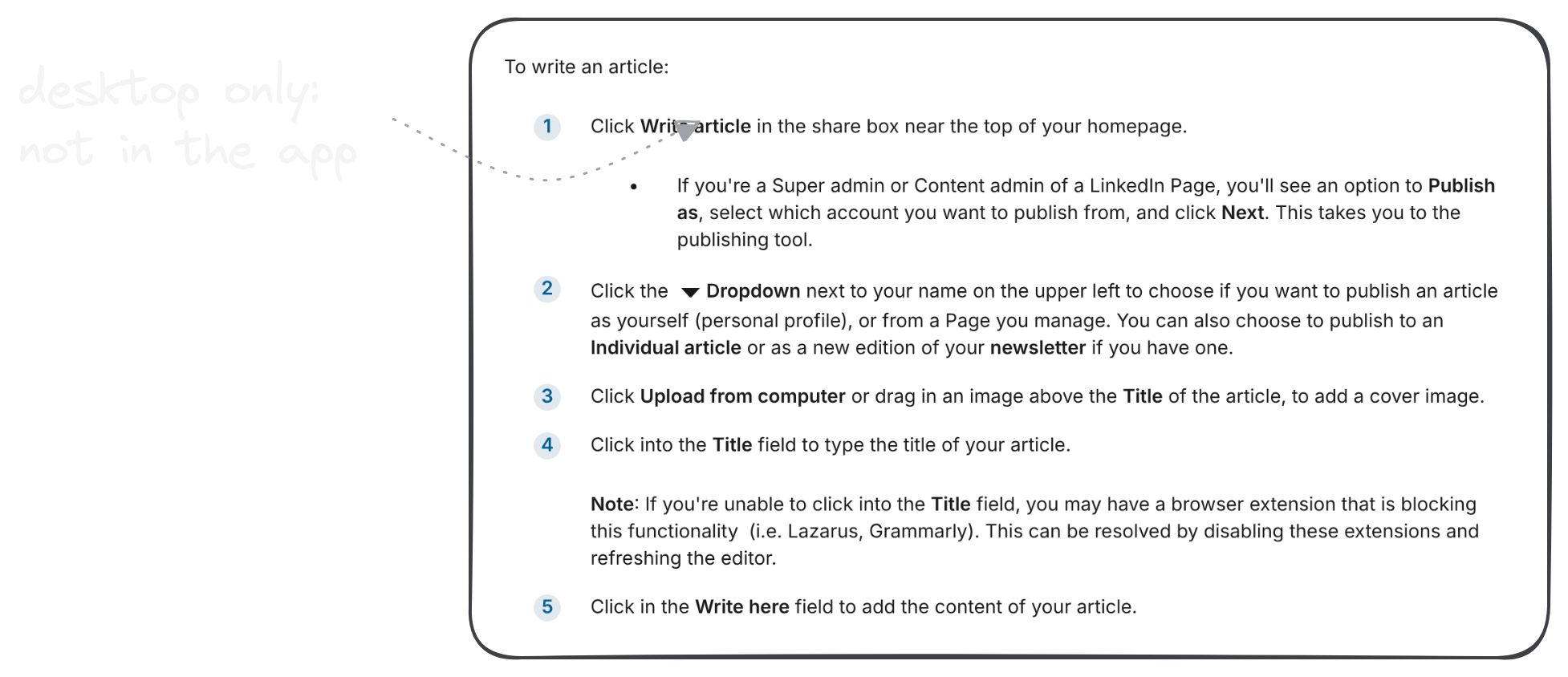
Articles live on your profile, get their own address and can carry a cover image, headers, images, video and links. You can only write one on desktop, not in the mobile app. LinkedIn's articles page walks through the steps, and they look like this:
- Click Write article in the share box near the top of your homepage.
- Use the dropdown by your name to publish as yourself or a Page, as a one-off article or a newsletter edition.
- Add a cover image above the title, then write the title and the body.
- Open Manage for the article's URL, SEO title and description, a preview or a draft to share.
- Click Next, then Publish (or the clock icon to schedule it). Add a line about the article so it goes out as a post too.
A word of advice from someone who writes short most days: most ideas don't need an article. If yours does, write the article, then pull its best idea into a normal post that links to it.
An article is for anything over 3,000 characters; a post is for everything else.
How Often Should You Post On LinkedIn? Once A Day
Here's the answer that grew my audience: 1 post per day.
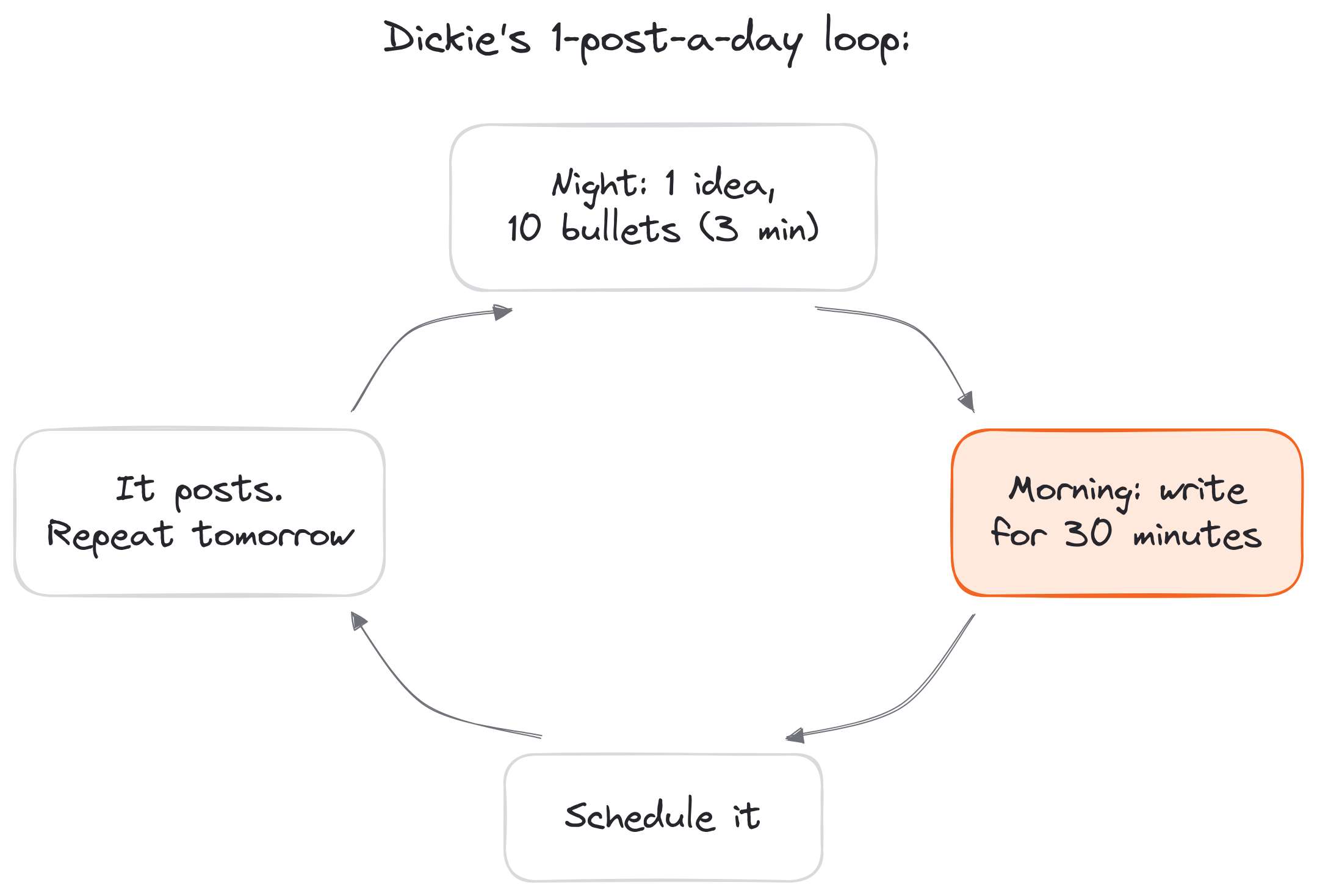
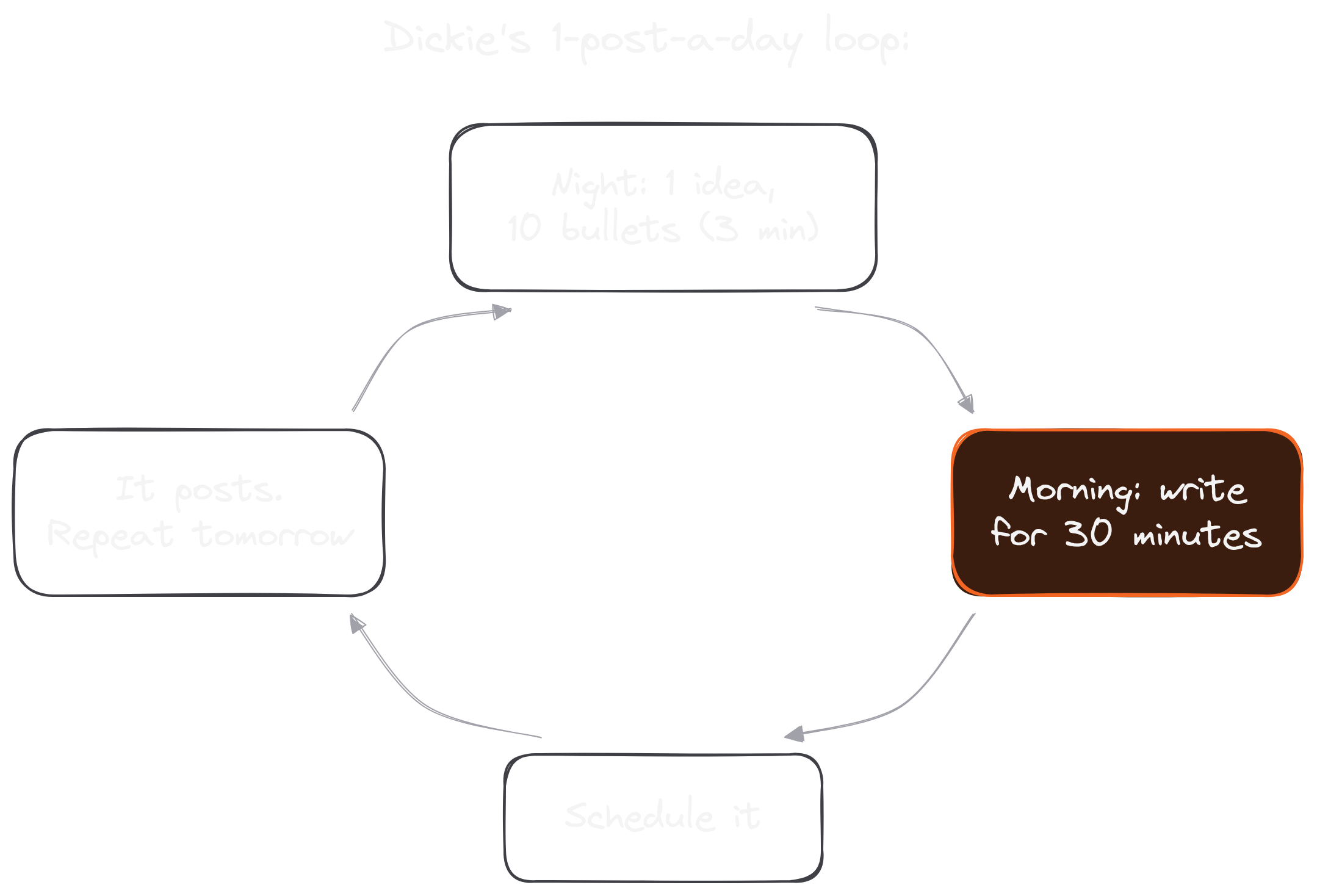
I struggled for years to build a writing habit. What finally worked was small: 30 distraction-free minutes every morning, and an idea ready before I sat down. My trick is a 3-minute brain dump before bed: I write down 1 idea that's top of mind, list 10 bullet points on it without judging them and close the journal. In the morning, the post is half written.
Cole lands in the same place. In his post on reaching 123,000 LinkedIn followers, he gives three rules: write about your niche every single day, link to something in every post and stay consistent for a long time. "This is where 99% of writers quit," he writes. "They post for 3 weeks, see no traction, and disappear."
If once a day feels like a lot, start smaller and keep it steady:
- 3 posts a week while you build the habit.
- 5 posts a week (weekdays) once it sticks.
- 1 post a day when you want to grow fast.
Whatever number you pick, write ahead and schedule. Typeshare's publishing queue holds your posting times, so a post you write tonight goes out tomorrow morning even if you're asleep, and your daily streak keeps count.
How often should you post on LinkedIn? Once a day, if you want the audience I have.
LinkedIn Post Ideas And Examples That Fit The Specs
The hardest part of posting every day is coming up with the idea.
My favorite shortcut is the one I'm using right now: I expand my best short tweets into longer LinkedIn posts. An idea that already worked in 280 characters has proven people care. On LinkedIn, I give it the room to breathe: the story behind it, the steps, an example.
A few more places LinkedIn post ideas come from:
- The question you answered this week. If one person asked, a hundred are wondering.
- A mistake you stopped making. Say what it cost you and what you do now.
- A list from your notes. Steps, tools or lessons, one per line.
- A post that already worked. Rewrite it with a new opening line and post it again months later.
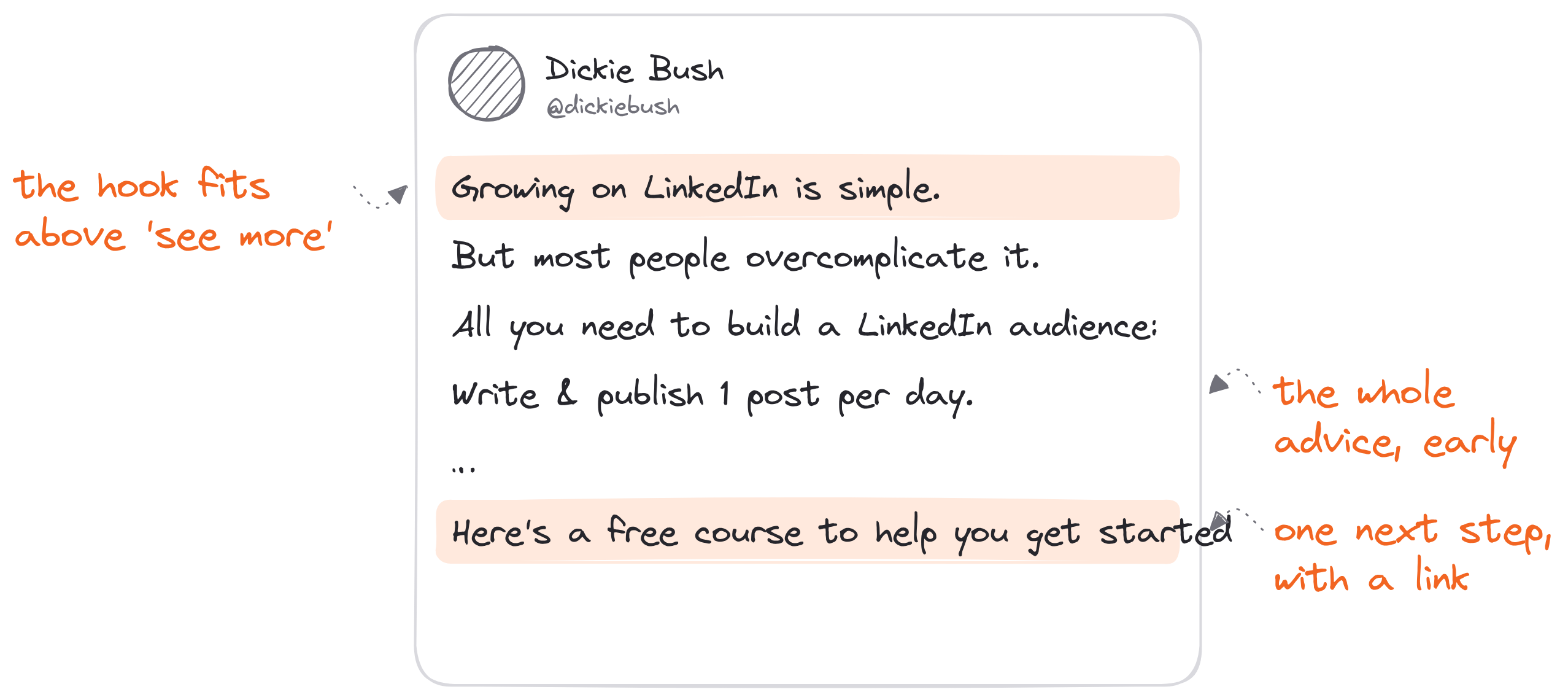
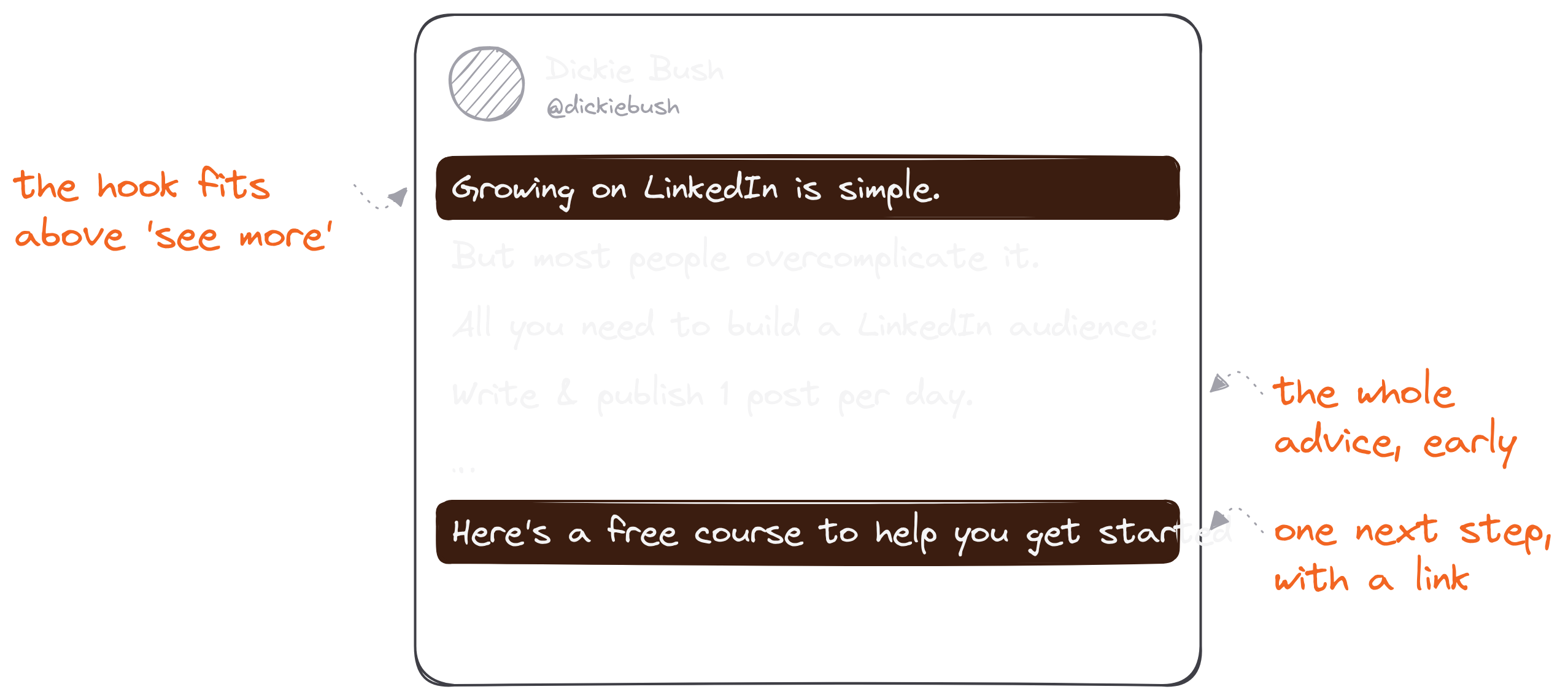
As for LinkedIn post examples, look at the shape of one that works. My post "Growing on LinkedIn is simple" opens with five words, so it fits well above the cut. The whole piece of advice ("Write & publish 1 post per day") comes in the fourth line. Then it gives the steps, and it ends with one next step and a link, exactly as Cole's second rule says. It's a fraction of the 3,000 characters, and it doesn't need more.
When you're stuck, the Hook-Point-Action method from our Write With AI newsletter gives you three post types to rotate (frameworks, stories and lists), and our hook examples give you the first line.
The best LinkedIn post ideas and examples are the ones you can finish before breakfast.
LinkedIn Post Size FAQ
What is the best size for a LinkedIn post?
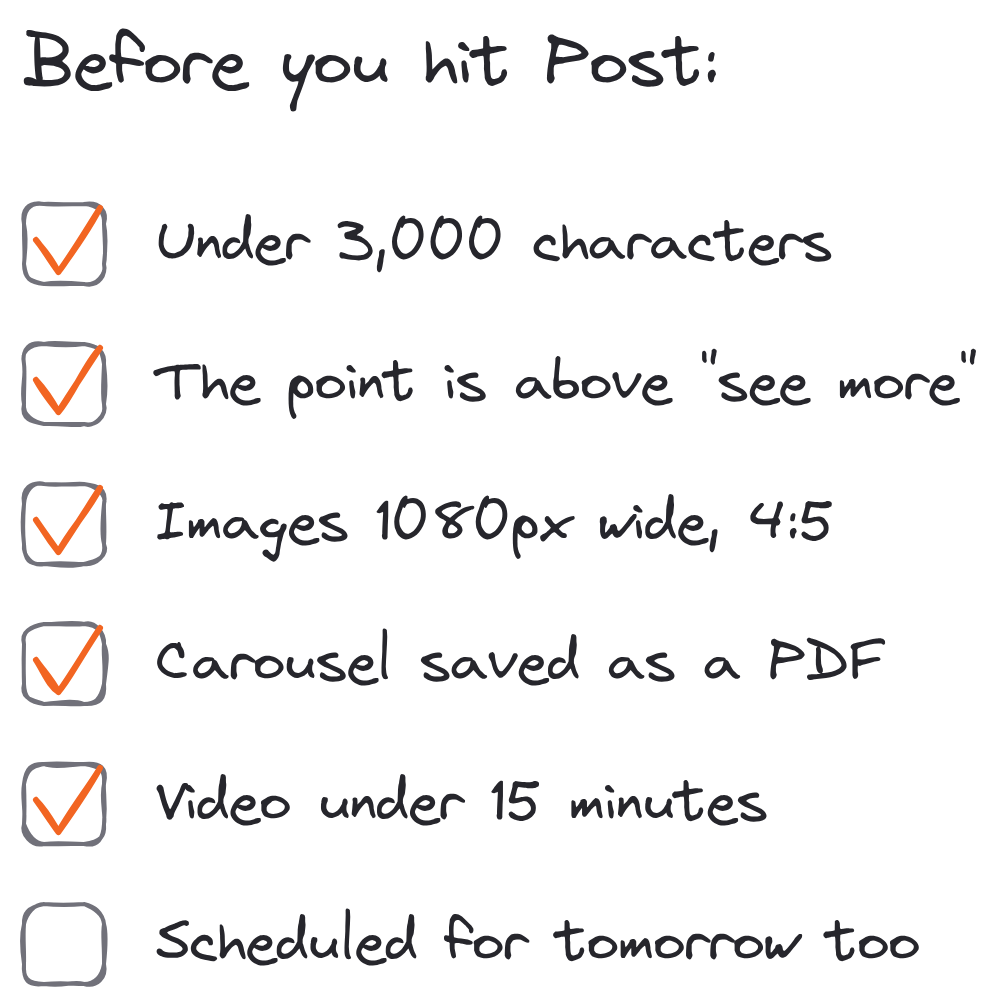
For text, short enough that the point lands above "see more", and never more than 3,000 characters. For an image, 1080 x 1350 pixels (4:5 portrait) or 1080 x 1080 (square). For a carousel, a PDF of 8 to 12 pages in one of those two shapes.
What are the LinkedIn post specs for images?
At least 552 x 276 pixels, 1080 pixels wide recommended, an aspect ratio from 3:1 to 4:5 and up to 5 MB per upload. A multi-image post holds up to 20 photos.
What size is a LinkedIn carousel?
LinkedIn sets no page size for document carousels, only the limits: 100 MB and 300 pages, as a PDF, PPT, PPTX, DOC or DOCX. Square (1080 x 1080) or portrait (1080 x 1350) pages look best in the feed.
Can I post a link and an image together?
No. A LinkedIn post shares either a link (with its preview image) or your own images, not both.
How long can a LinkedIn video be?
Up to 15 minutes and 5 GB, and at least 3 seconds (2 from the mobile app).