How To Become A LinkedIn Content Creator: 7 Steps From Your First Post To Your First 1,000 Followers
Nicolas ColeNovember 8, 2026
How to become a LinkedIn content creator in 7 steps: pick a niche, set up your profile, post daily and turn your first 1,000 followers into clients.
When I was 26, I quit my 9-5 job to become a writer on the internet.
I didn't have a plan, an audience or a product. What I had was a habit: I'd been writing online every day for years, for free, and it had quietly turned into a skill people would pay for. Everything since came from that one habit. Today I have 128,000+ followers on LinkedIn, and the education business Dickie Bush and I run does $8M+ a year, almost all of it from organic writing.
So when someone asks me how to become a LinkedIn content creator, my answer is short.
You don't apply for it. Nobody hands you a badge. A LinkedIn content creator is anyone who publishes useful posts for one specific reader, consistently, on LinkedIn. You become one the day you start, and you stay one by not stopping.
The hard part is the first 1,000 followers. That's where most people quit, usually about three weeks in.
Here are the 7 steps I'd follow if I were starting from zero today. They work whether you want clients, a new job or an audience for a product. Before you start, it helps to have a profile headline that tells people why to follow you, a feel for how to write better posts, and a place to write and schedule them, like Typeshare for LinkedIn. You do the writing; the robots do the rest.
Step #1: Pick Your Niche With The 2-Year Test (How To Become A Content Creator)
The one obstacle that stops most people from posting is knowing what to write about.
They think they need to be an expert first. So they wait, and read, and wait some more. Meanwhile, the people they'd most want to help are a few steps behind them on the same path, looking for someone to show them the next step.
People don't want to learn from experts. They prefer to learn from someone just a few steps ahead of them.
Once you see that, finding your niche gets easy. Ask yourself one question: "What are all the problems I've solved and topics I've learned about over the last 2 years?" Write down every answer. A promotion you earned, a tool you mastered, a habit you built, a mistake you stopped making.
Then add specificity until each topic matches your level of credibility. You can narrow it a few ways:
- By problem: "Write a resume that gets interviews without a career coach"
- By price: "Learn to design for free"
- By reader: "LinkedIn tips for first-time engineering managers"
The reader you're writing for is the person you were 2 years ago, before you solved the problem.
That's the whole answer to how to become a content creator: pick the problems you've already solved, and write to the person who still has them.


Pick your niche with the 2-Year Test, and you'll never run out of things to say.
Step #2: Set Up Your Profile For Followers (What Happened To LinkedIn Creator Mode)
Your profile is the landing page for every post you'll ever write.
When a post does well, people click your name to decide whether to follow you. They see your photo, your headline and the first lines of your About section. If those three things don't tell them who you help and with what, they leave without following.
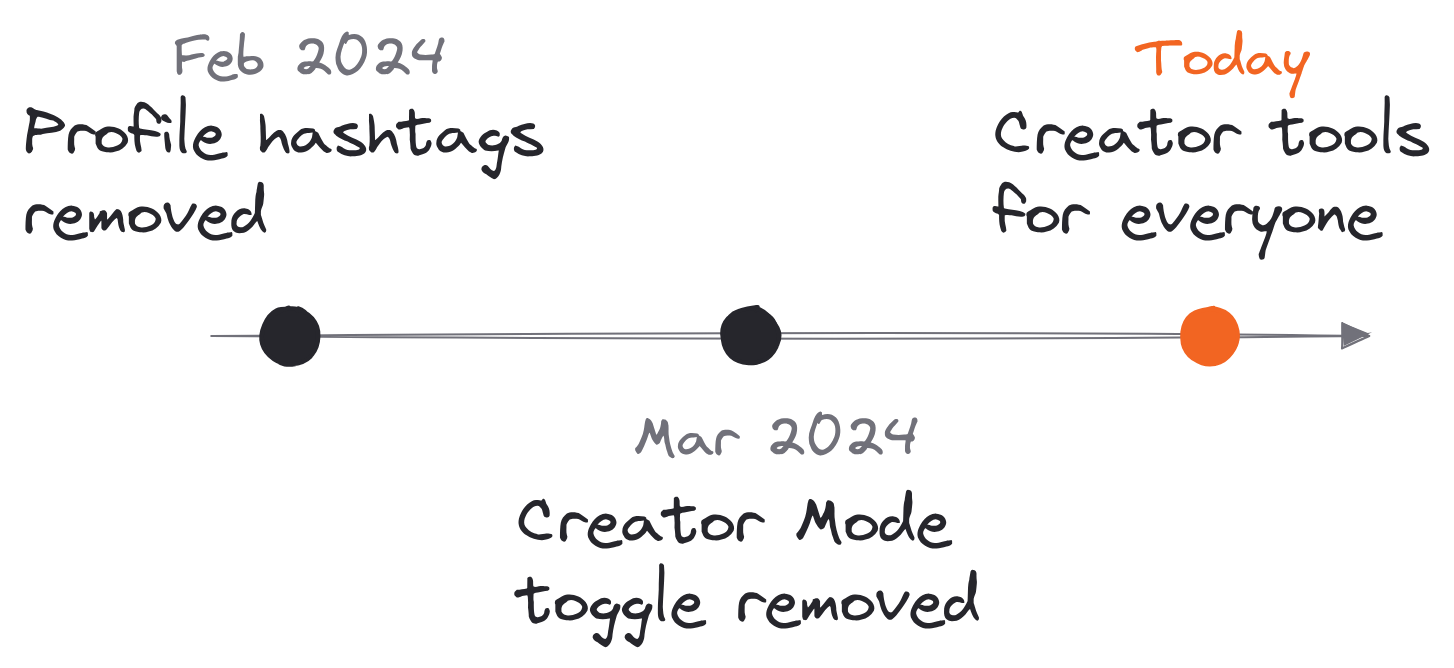
For a few years, LinkedIn creator mode was the setting that turned a profile into a creator's profile. You switched it on, and your profile showed Follow as the main button, along with topic hashtags and access to creator tools.
That setting is gone. LinkedIn removed profile hashtags in February 2024 and the Creator Mode toggle in March 2024, saying it was "removing the need to toggle creator mode on and off" and opening up creation tools and deeper analytics to all members. If you're searching for the switch, you won't find it, and you don't need it.
Here's what to set up instead:
- Your headline. Say who you help and what you help them do. (Our LinkedIn headline examples give you 50 to borrow from.)
- The Follow button. In Settings & Privacy, turn on "Make follow primary" so visitors see Follow first.
- Your About section. Open with your reader's problem in their words, then say what you post about.
- One link. Point it at the one next step you want followers to take (a newsletter, a free resource, a booking page).
Set up your profile for followers once, and every post you write after that does double duty.
Step #3: Write About Your Niche Every Single Day (How To Be A Content Creator)
If I could only give you one rule, it would be this one.
Growing an audience on LinkedIn comes down to writing about your niche, every single day. The platform rewards congruence. When every post signals one clear reader and one clear problem, LinkedIn shows your content to more of exactly that person. The writers who struggle are the ones writing about everything for everyone.
Dickie built his LinkedIn audience to 155,000+ followers with the same habit: publish 1 post per day. And he'll tell you he struggled for years to build that habit before it stuck.
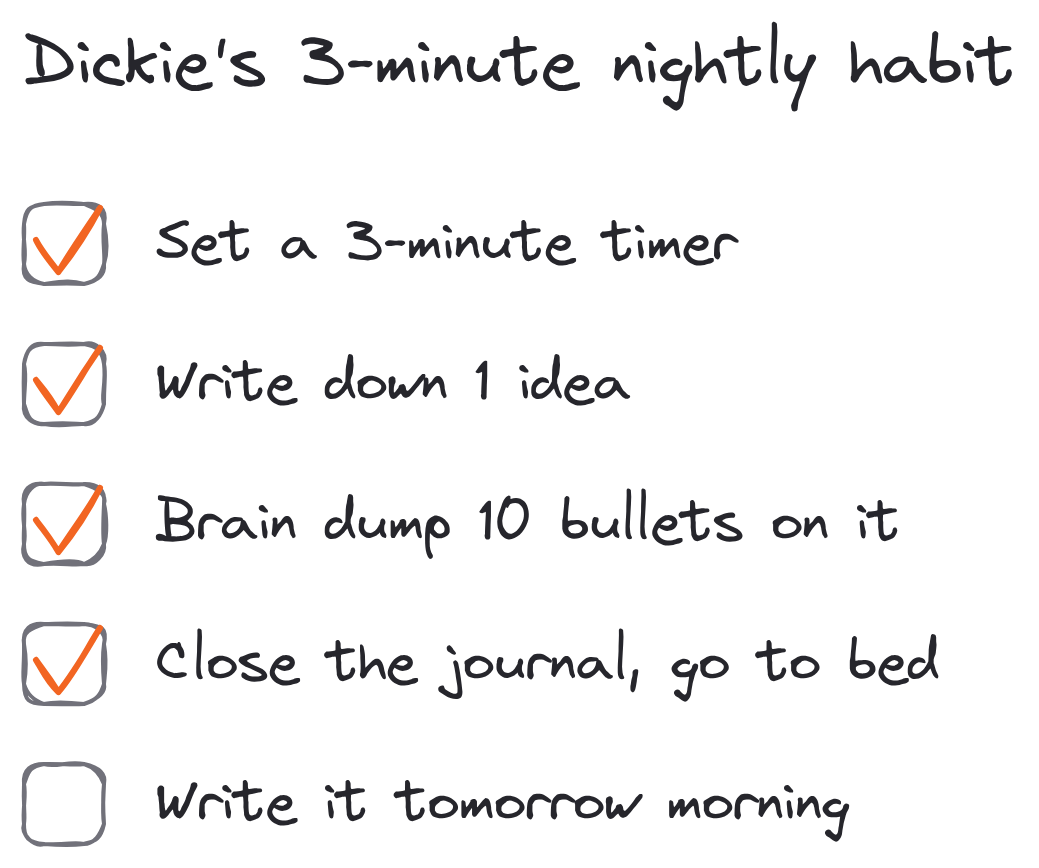
What finally made it stick was a 3-minute routine he does every night:
- Set a 3-minute timer.
- Write down 1 idea that's top of mind.
- Brain dump 10 bullet points on that idea, without judgment.
- Close the journal and go to bed.
The next morning, he never stares at a blank page. The bullets are already there, and his brain has been working on them all night.
Then comes the part where 99% of people quit. They post for 3 weeks, see no traction and disappear. Learning how to be a content creator mostly means staying consistent for a long time, long after it feels like nobody's reading.
Write about your niche every single day, and the algorithm figures out who to show you to.
Step #4: Treat LinkedIn As Your Greatest Hits (A LinkedIn Content Creator's Posting Plan)
Here's a shortcut most LinkedIn content creators never use.
You don't have to come up with brand-new LinkedIn posts every day. If you post anywhere else, LinkedIn can be the "greatest hits" of that content. Our team posts 5 to 8+ times a day on X, because X can handle that kind of volume. On LinkedIn, posting more than about 2 times a day starts to work against you.
So on LinkedIn, we post only our best:
- Write and post often on X (or Threads, or wherever you post most).
- The next morning, pick the post that did best yesterday.
- Post it on LinkedIn at 9am in your time zone.
- Repeat forever.
Every post you put on LinkedIn has already been tested. You're only showing your LinkedIn followers the ideas that worked.
If you only post on LinkedIn, the same idea works with your own archive: find your best posts from months ago and post a sharper version.
This is also why it helps to write in one place and post everywhere. Typeshare lets you write a post once and publish it to X and LinkedIn at the same time, or save your best X post for LinkedIn's 9am slot the next day.


Treat LinkedIn as your greatest hits, and every post starts with a head start.
Step #5: Use The Formats That Work On LinkedIn (Screenshots And Carousels)
Not every post has to be a wall of text.
The format with the lowest barrier to entry on LinkedIn is a screenshot of a post from X. You can share screenshots of your own best stand-alone posts, or of other people's posts that went viral on topics your readers care about. (Our business is writing education, so viral posts about writing and media make sense for us. Viral posts about politics or weight loss don't.)
The highest-performing format on LinkedIn, in my experience, is the carousel: a swipeable set of slides, posted as a document. Carousels take more work, but they're worth it, because each slide gives the reader a reason to keep swiping.
There are a few ways to make one:
- Text-based carousels are the easiest. In Typeshare, a carousel is a Deck: you write each card on the Write page, pick a layout, and it goes out on LinkedIn as one swipeable PDF.
- Image-based carousels take a design template, built once in a tool like Canva or Gamma and reused.
- Pro-grade carousels need a designer (or an agent that designs in your brand kit).
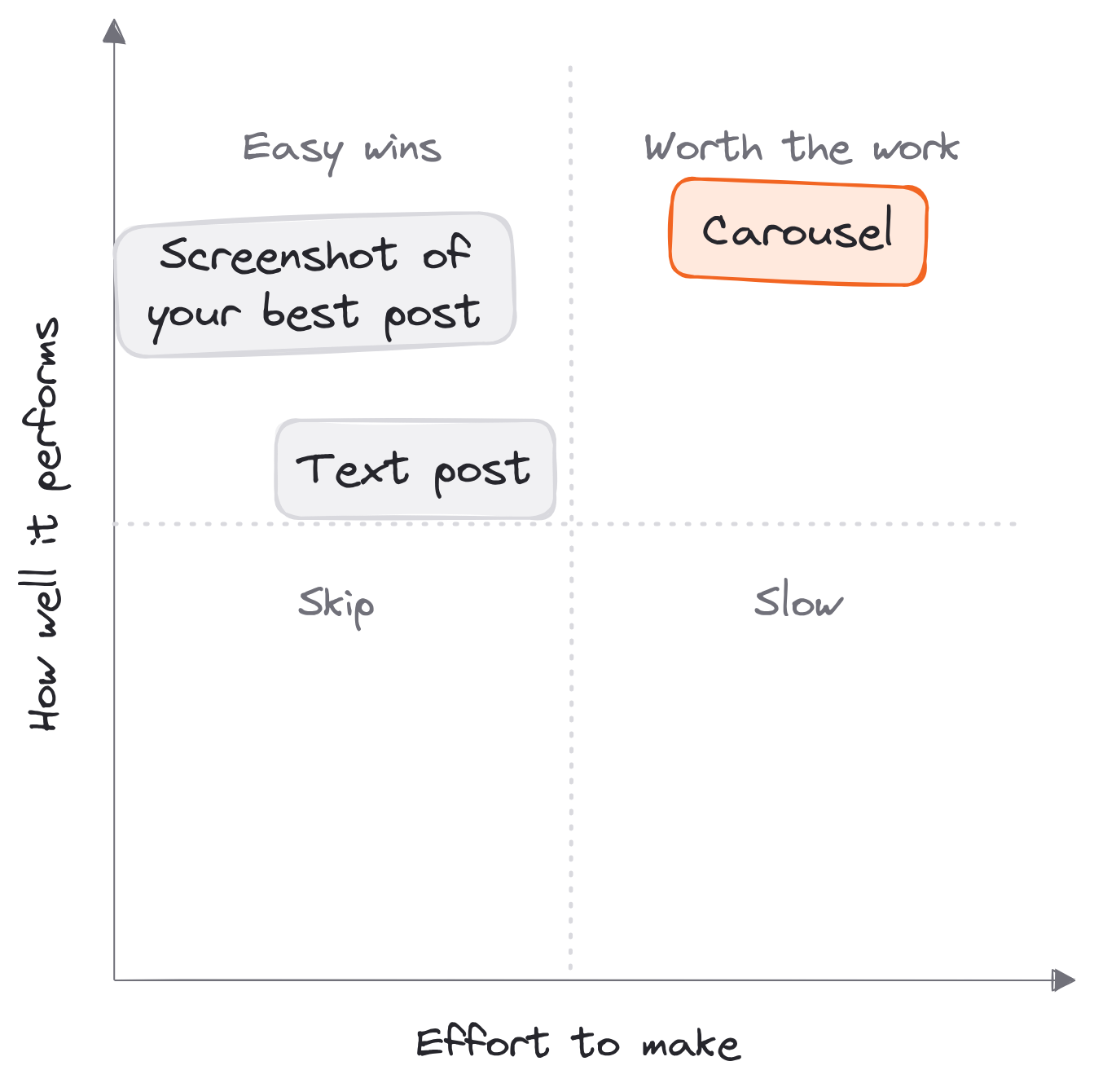
Use the formats that work on LinkedIn, and your best ideas get seen by more of the people who need them.
Step #6: Test Ideas Small, Then Go Bigger (How Content Creators Grow Without Going Viral)
You don't need a viral post to build an audience on LinkedIn.
You need a library of content worth reading. The easiest way to build one is a method I call Lean Writing. Look at where some of the best-known writers' biggest ideas started:
- Mark Manson's The Subtle Art of Not Giving a F\ck* started as a blog post.
- Malcolm Gladwell's Outliers grew out of his writing for The New Yorker.
- Ryan Holiday's The Obstacle Is the Way began as a blog.
Their ideas were tested in short form first. Then they expanded the ones that worked.
Lean Writing has 3 steps. Test ideas online with short posts. Listen for feedback, and double down on what works. Then expand those ideas into longer assets, and even businesses. In practice, it's a ladder:
- A LinkedIn post that does well becomes an Atomic Essay.
- An essay that does well becomes a free email course.
- A course people love becomes a paid digital product.
- A product that sells becomes a business.
Most writers spend 10 to 20 hours on blog posts nobody reads. A LinkedIn content creator only expands an idea after readers have told them it's worth expanding. It's how I take 1 idea and turn it into 7 different posts, and how I publish every day without running out of content.
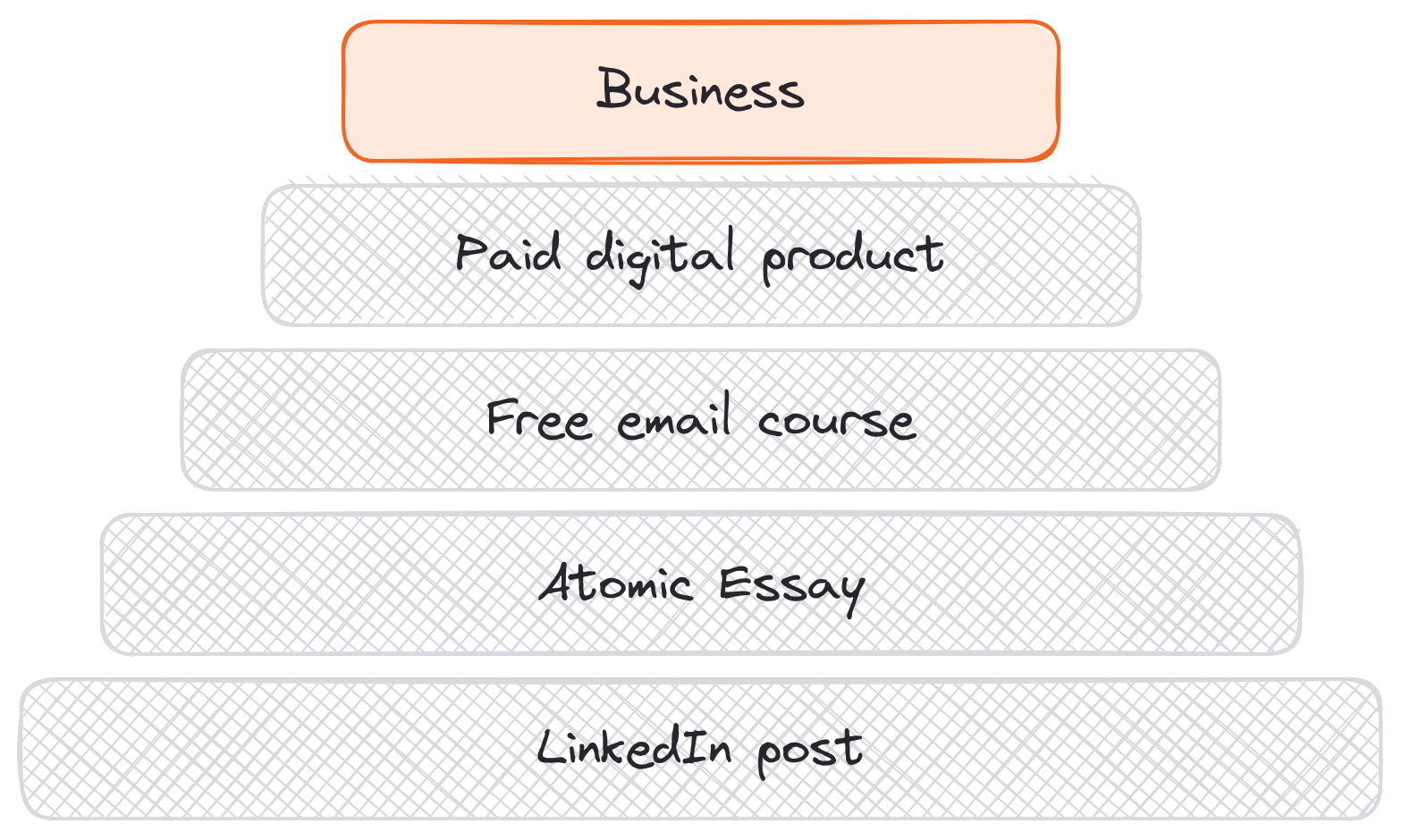
Test ideas small, then go bigger, and your audience tells you what to build next.
Step #7: Give Every Post A Next Step (How To Make Money As A LinkedIn Content Creator)
Followers are nice. A follower who takes a next step is better.
So link to something in every post. Each piece of content should move your reader one step forward: a booking link, your newsletter, a free resource. It doesn't matter what the next step is. All that matters is that there's one, every single time.
Then decide what you'll offer them. When I left my job, I followed 7 steps to build a skill, quit and join the creator economy, and the most important one was this: provide a service before you launch a product.
It is 100x easier to replace your full-time income by selling a $2,000 service to 5 people than by selling a $10 product to 1,000 people. The math comes out the same. The work doesn't. Five clients can come from a small audience that trusts you. A thousand buyers takes a big one.
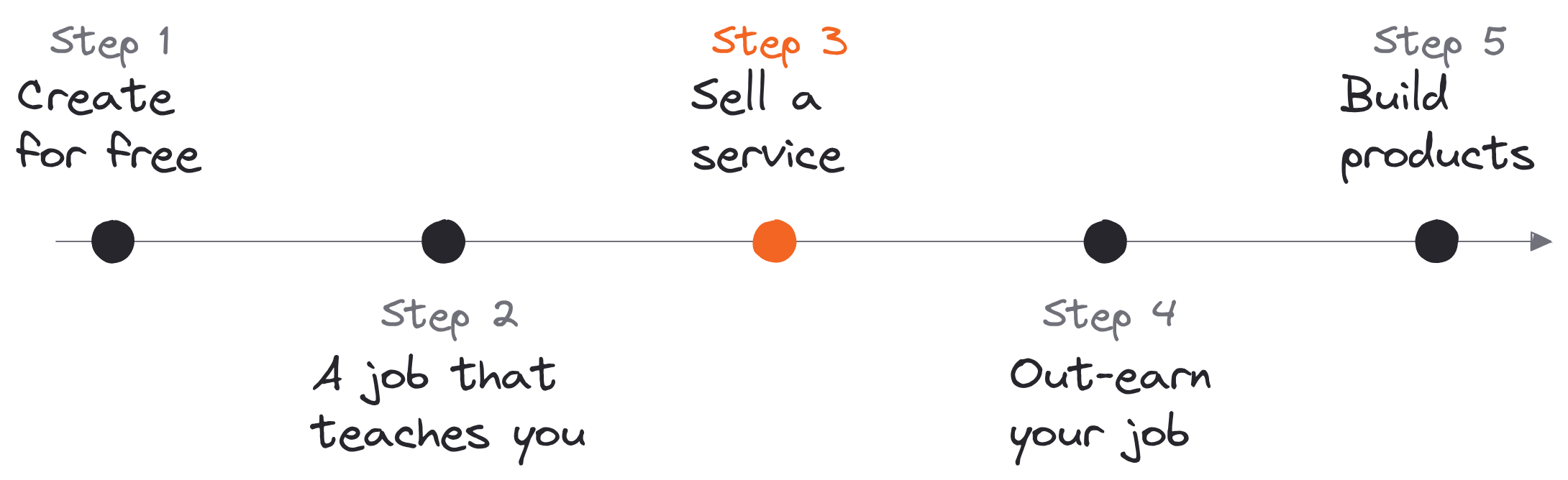
Here's the path in order:
- Create for free until you can do something worth paying for.
- Find a job that teaches you skills you'll need later.
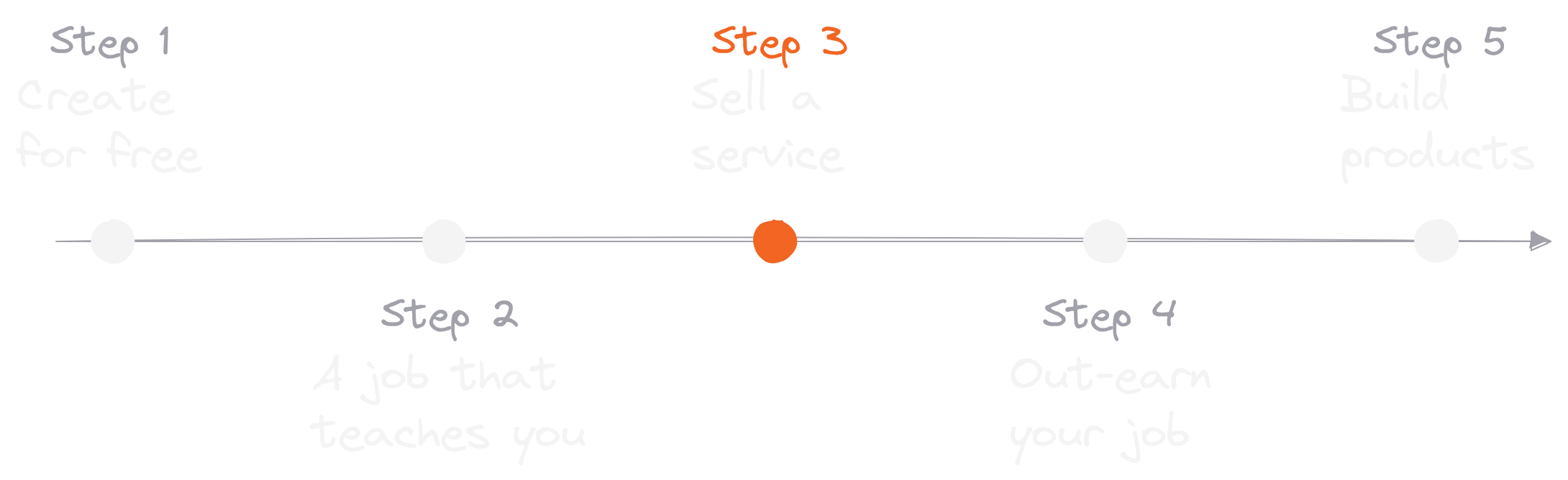
- Sell a service, like writing, design or consulting.
- Raise your rates in your off-hours until your side work out-earns your job.
- Reinvest your free hours into products.
Dickie took this route too. His first writing client paid him $5,000 to ghostwrite social content, while he was still working a corporate job.
Give every post a next step, and your first 1,000 followers become your first clients.
FAQ
What is a LinkedIn content creator?
A LinkedIn content creator is anyone who regularly publishes original posts on LinkedIn for a specific audience. There's no application or follower minimum. Most write about their own work and what they've learned, and use their audience to find clients, jobs or customers.
Do I need LinkedIn creator mode?
No. LinkedIn removed the creator mode toggle in March 2024 and opened its creator tools to all members. To get the main effect it had, turn on "Make follow primary" in Settings & Privacy so visitors see Follow first.
How often should a LinkedIn content creator post?
Once a day is the target. It's enough to stay in front of your followers and build the habit. Posting more than about twice a day tends to work against you on LinkedIn.
How long does it take to get 1,000 followers on LinkedIn?
It depends on your niche, how often you post and how well your posts land, so nobody can give you an honest number. What's predictable is the quitting point: most people stop after about three weeks of posting. Post every day for a few months before you judge the results.
Can you make money as a LinkedIn content creator?
Yes. The fastest route is selling a service (writing, consulting, design, coaching) to a small number of followers who trust you. Products, newsletters and courses come later, once you know which ideas your audience wants more of.
Is it too late to become a content creator on LinkedIn?
No. Every niche needs someone a few steps ahead who's willing to write about it every day.