What Are Post Impressions On LinkedIn? What Counts As One, What A Good Number Looks Like, And 4 Numbers That Matter More
Dickie BushNovember 20, 2026
What are post impressions on LinkedIn? What counts as one, how to read your post analytics, what a good number is, and 4 numbers that bring you leads.
A post impression on LinkedIn is one time your post was displayed on someone's screen. LinkedIn counts every display, so one person who scrolls past your post twice adds two impressions but only one member reached.
Impressions are the first number LinkedIn shows you, and the least useful one.
I learned that the expensive way. LinkedIn generates 70% of our leads and 70% of our revenue, and it does that with half the impressions we get on X and Instagram. In 2025, 55% of our 34,295 new organic leads came from LinkedIn, up 199% on the year before. And when LinkedIn's algorithm changed and my impressions fell off a cliff, my email list and writing business kept growing.
So here's what post impressions on LinkedIn are, what counts as one, how to read your LinkedIn post analytics, what a good number looks like for your audience, and the 4 numbers I'd watch instead. If you're still setting up your profile, start with these LinkedIn headline examples. If you're deciding whether to post at all, read how to become a content creator. And when you're ready to post every day, Typeshare for LinkedIn lets you write and schedule a week of posts in one sitting. You do the writing; the robots do the rest.
What Is A Post Impression On LinkedIn? (What Counts As One)
An impression is one time your post showed up on someone's screen.
That's LinkedIn's own definition. Its help page on combined post analytics (checked November 22, 2026) calls impressions "the number of times your post was displayed on screen," and adds that "this number is an estimate and may not be precise." The person didn't have to stop, read or click. Your post only had to appear in their feed, on your profile or in a search result while they scrolled.
Here's what counts, and what doesn't.
- Counts: your post appearing in someone's feed, even for a second as they scroll past.
- Counts again: the same person seeing it a second time. Impressions count every display, so one reader can add several.
- Counts: people who don't follow you. LinkedIn splits your impressions into "in network" (people who follow or are connected to you) and "out of network" (everyone else).
- Doesn't count as more: a reader opening "see more" or reading to the end. That's still one impression. Reading is measured elsewhere, in engagements.
That second point is why impressions always look bigger than your audience. A post with 3,000 impressions might have reached 2,000 people, some of them twice.
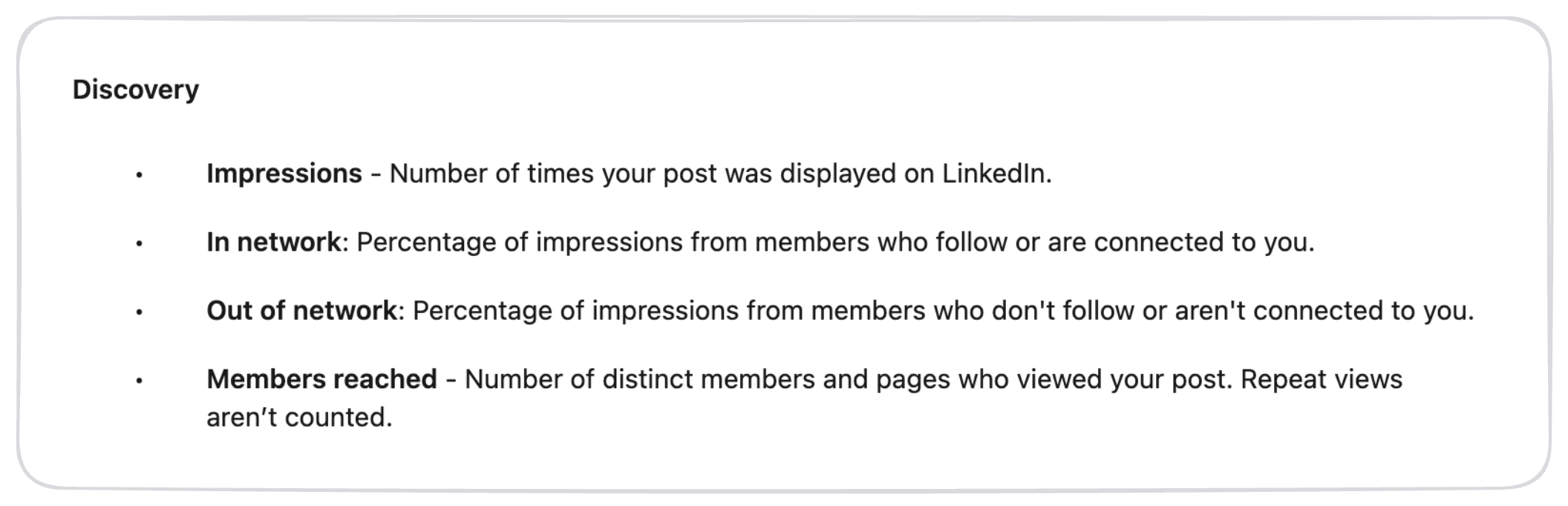
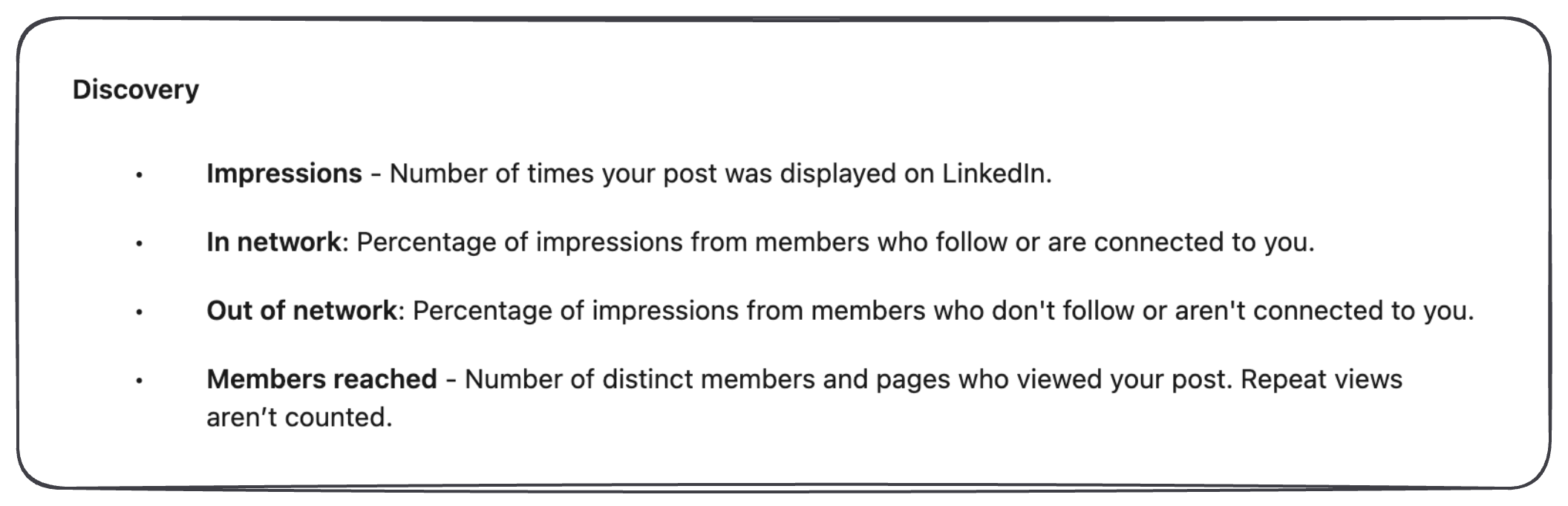
What is a post impression on LinkedIn? One display on one screen.
Impressions vs. Members Reached vs. Engagements: The Words In LinkedIn Post Analytics
Open any post's analytics and you'll see three numbers that sound alike.
They aren't. Each one counts a smaller group than the one before it, and mixing them up is how people end up proud of the wrong thing.
- Impressions. Every time the post was displayed, repeats included.
- Members reached. LinkedIn calls it the "number of distinct members and pages who viewed your post," and says "repeat views aren't counted." This counts people, each one once.
- Engagements. "The total number of engagements on your posts, including reactions, comments, saves, sends, and reposts." These are the people who did something.
Then there's engagement rate. LinkedIn's help page doesn't define it, so do the math yourself: engagements divided by impressions. A post with 40 engagements on 2,000 impressions has a 2% engagement rate. Use it to compare your own posts with each other, never with someone else's.
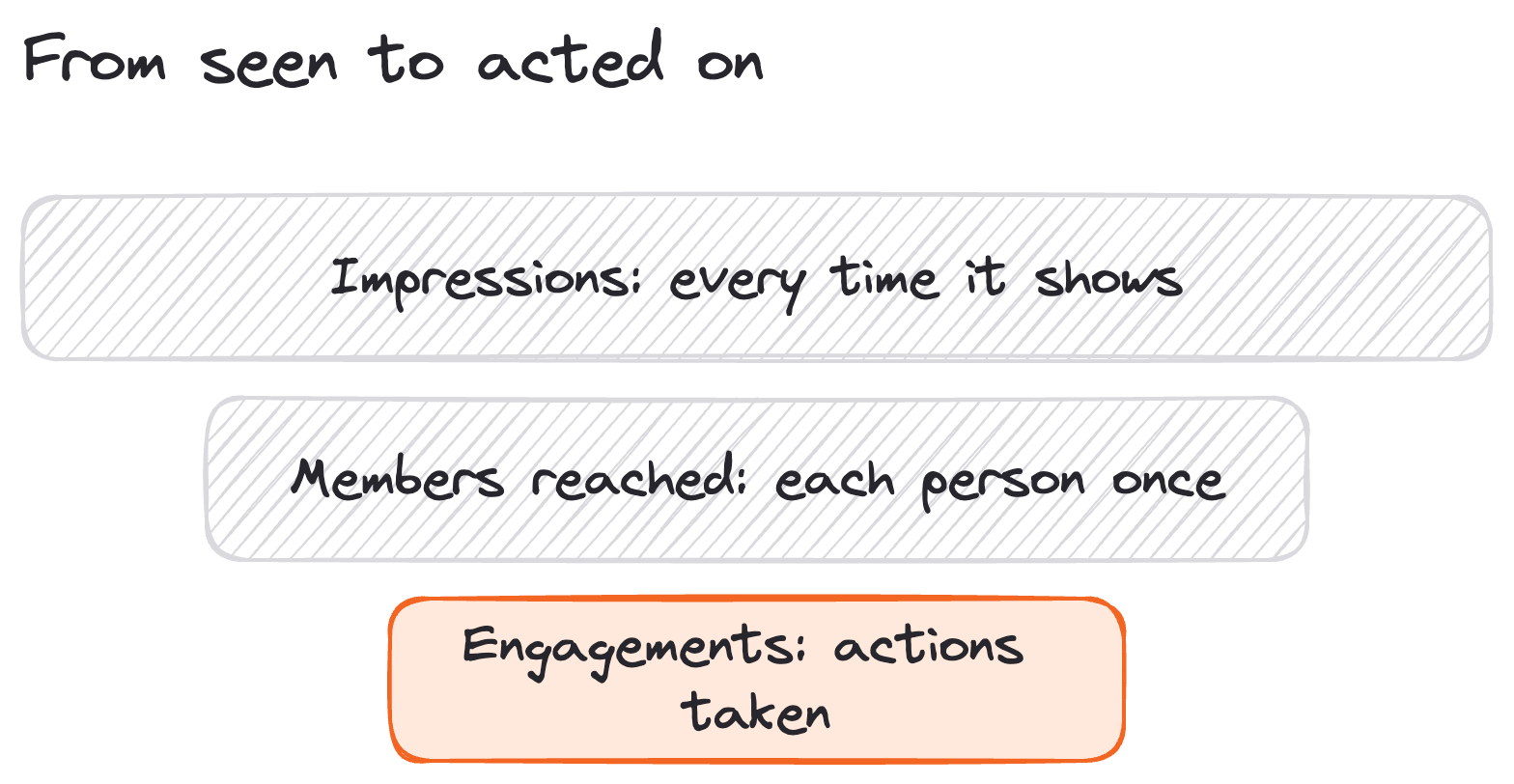
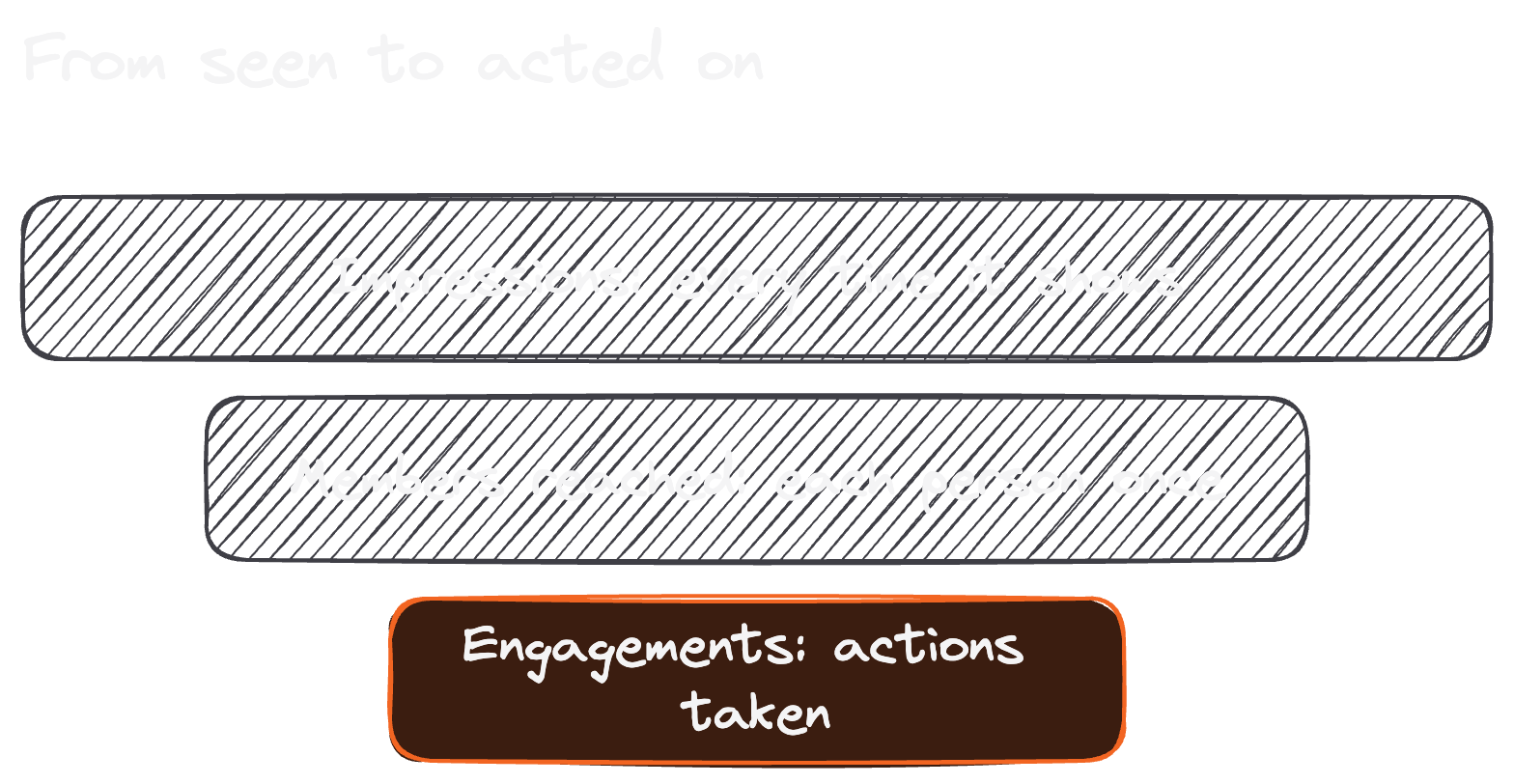
Impressions tell you how often LinkedIn showed your post. Members reached tells you how many people saw it. Engagements tell you whether any of them cared.
How To Read Your LinkedIn Post Analytics
Finding the numbers takes four clicks.
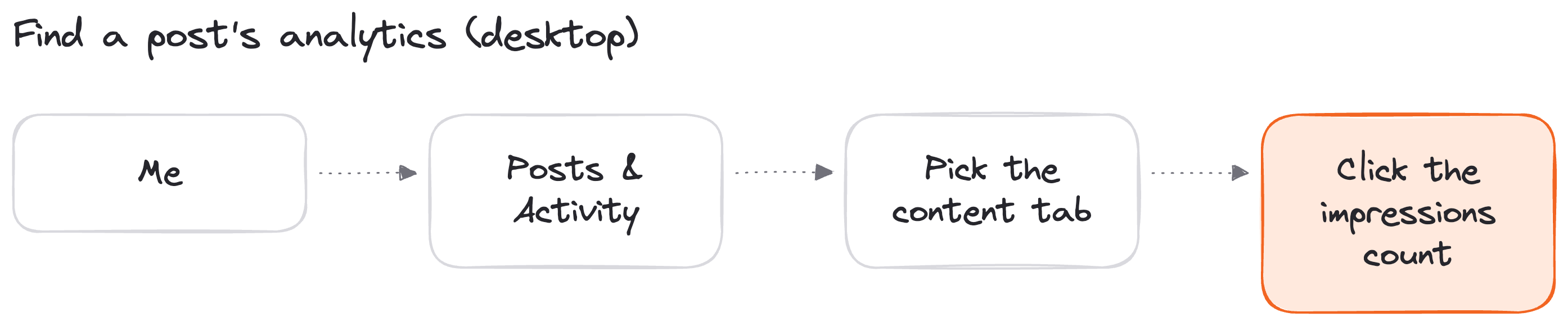
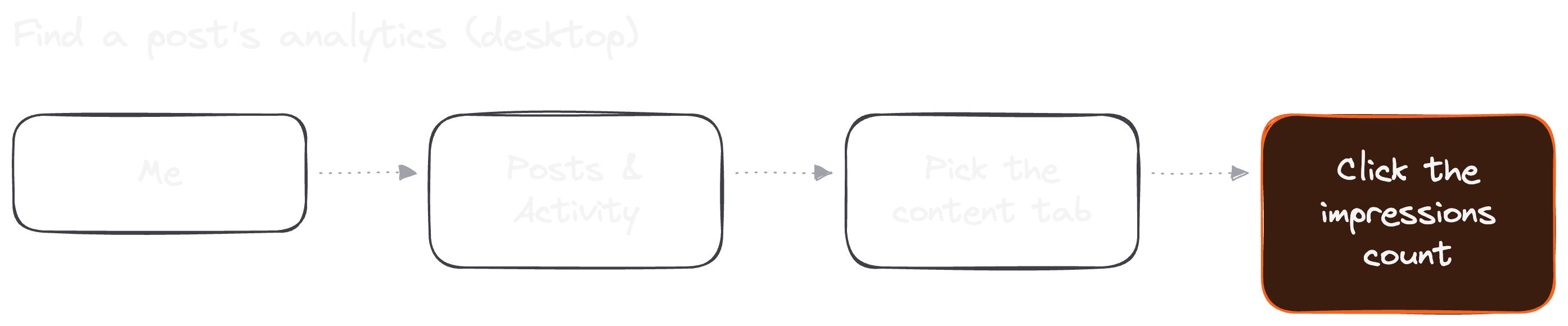
On a computer, LinkedIn's help page on viewing post analytics (checked November 22, 2026) gives these steps: click the Me icon at the top of your homepage, click Posts & Activity under Manage, pick the tab for your type of content, then click the impressions count in the lower-left corner of a post (or View analytics in the lower right). On the phone app, tap your profile photo, tap Profile card, scroll to Activity, tap Show all posts, and tap the impressions count under a post.
Once you're in, read the numbers in this order.
- Impressions first, to see how far the post traveled.
- In network vs. out of network next. A high out-of-network share means LinkedIn showed it to people who don't know you yet. That's how you grow.
- Members reached third, to see how many real people that was.
- Engagements last, broken into reactions, comments, reposts, saves and sends.
LinkedIn also keeps a combined view of all your posts under Analytics & tools, where you can switch the graph between impressions and engagements and export your numbers. And only you can see your post analytics.
One thing to know if you post through Typeshare: LinkedIn doesn't share views with outside apps, only likes, comments and reposts. So Typeshare's Analytics can't show your LinkedIn impressions. It scores your LinkedIn posts on engagements instead and shows which ones beat your typical post. For the impressions number itself, use LinkedIn's own post analytics.
That's how to read your LinkedIn post analytics.
What Is A Good Number Of Impressions On A LinkedIn Post?
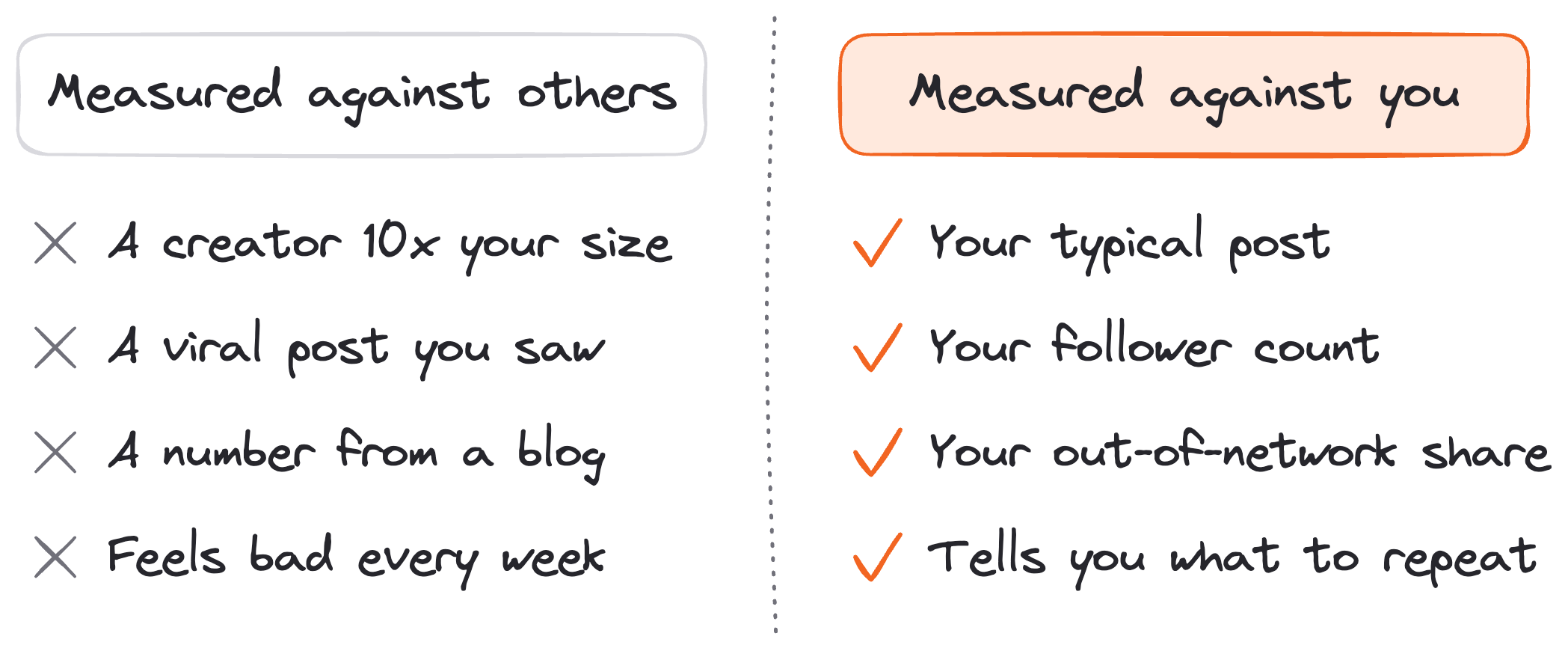
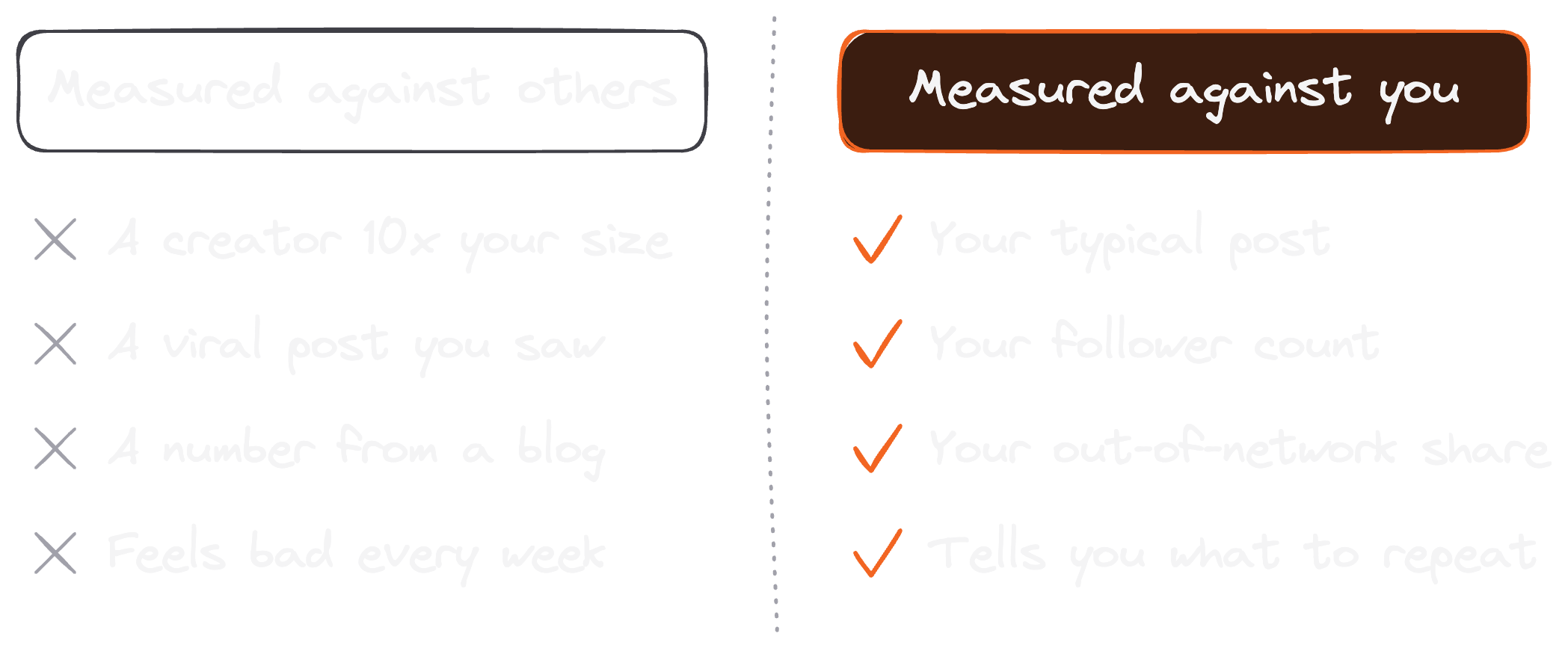
Whatever beats your own typical post.
I know that sounds like a dodge. But every "good number" you find online was measured on someone else's audience, topic and posting history. A creator with 100,000 followers and a person with 300 will never get the same impressions, and neither number tells you anything about your post.
So measure against yourself, in three steps.
- Find your typical post. Write down the impressions on your last 10 to 20 posts and take the middle one (the median, so one viral post doesn't skew it). That's your baseline.
- Compare each new post to that baseline. Twice your typical post is a winner worth studying. Half is a dud worth learning from. Typeshare's Outlier score works the same way: 5 is a typical post for you, and a post that doubles your typical one scores about 7 to 8.
- Check where the impressions came from. A post that beats your baseline mostly out of network is one LinkedIn decided to show strangers. That's the one to write again.
Your follower count sets the floor. If your impressions are lower than your followers, most of your own network didn't see the post, and the hook is usually why. If your impressions are several times your followers, the post traveled.
What is a good number of impressions on a LinkedIn post? One that beats the last one you wrote.
4 Numbers That Matter More Than LinkedIn Impressions
Impressions are a vanity metric.
My business partner Nicolas Cole puts it bluntly in his list of vanity metrics: views, followers, media attention and industry approval. The metrics that matter, he says, are the people you've helped, the problems you've solved, and "the number in your Stripe account that proves all the above."
He has a story to prove it. His ghostwriting agency wrote LinkedIn articles for a startup's executives, and one piece for the CFO got one like. The CFO wanted to quit. A month later, the CEO of a big vendor walked into a meeting and told him he'd loved the piece he posted that morning. They hit it off, and the deal they landed was worth millions.
One like. Millions of dollars.
So here are the 4 numbers I'd watch on every post instead.
- Comments. A comment means someone read to the end and had something to say. It's the start of a conversation, and conversations turn into clients.
- Profile activity. LinkedIn's post analytics include a profile activity section: people who went from your post to your profile. That's a reader deciding they want more of you.
- Link engagement. On desktop, LinkedIn shows clicks on the links in your posts. Clicks on a link to your newsletter or offer are people raising their hand.
- Leads. The sign-ups, emails and sales you can trace back to LinkedIn. This is the only number that pays you. It's the one where LinkedIn beats every other platform for us, on half the impressions.
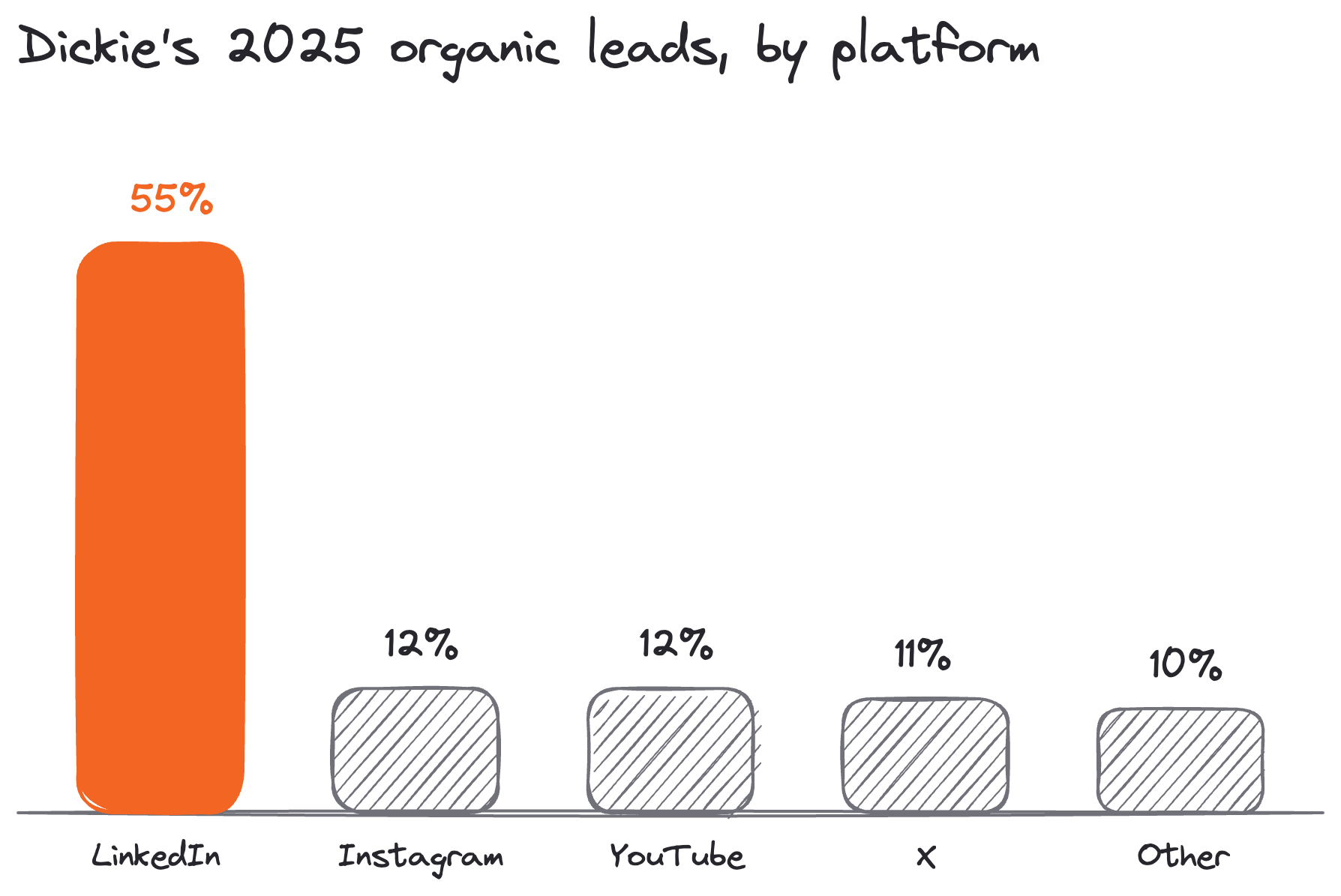
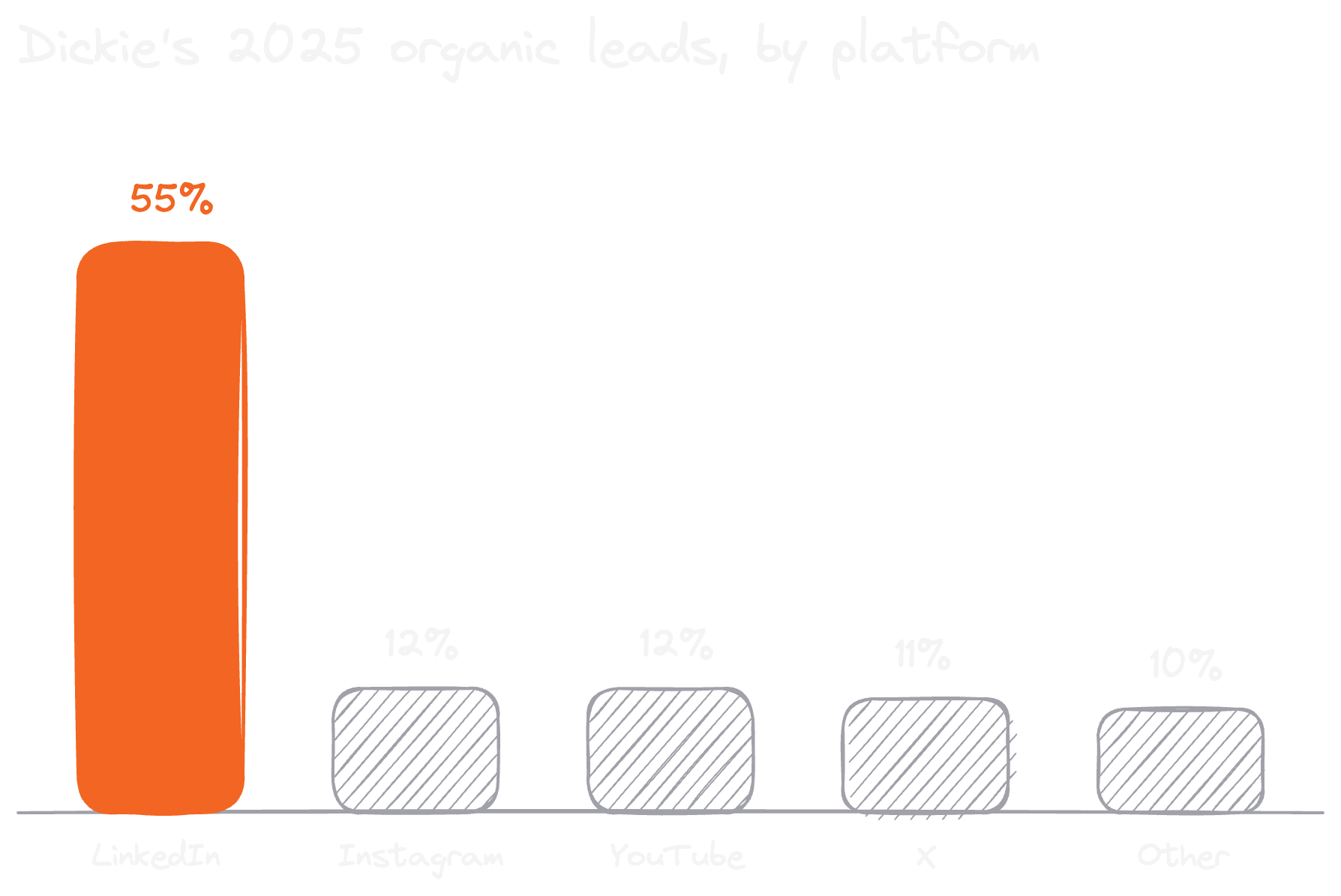
Track impressions to see if your posts are being shown. Track these 4 numbers to see if they're working.
How To Get More Impressions On LinkedIn Posts
More impressions still help, as long as they're the right kind.
If you write something helpful and engaging, LinkedIn's algorithm finds it more readers. So everything that gets more impressions comes back to earning the next reader's attention. Here's what moves the number.
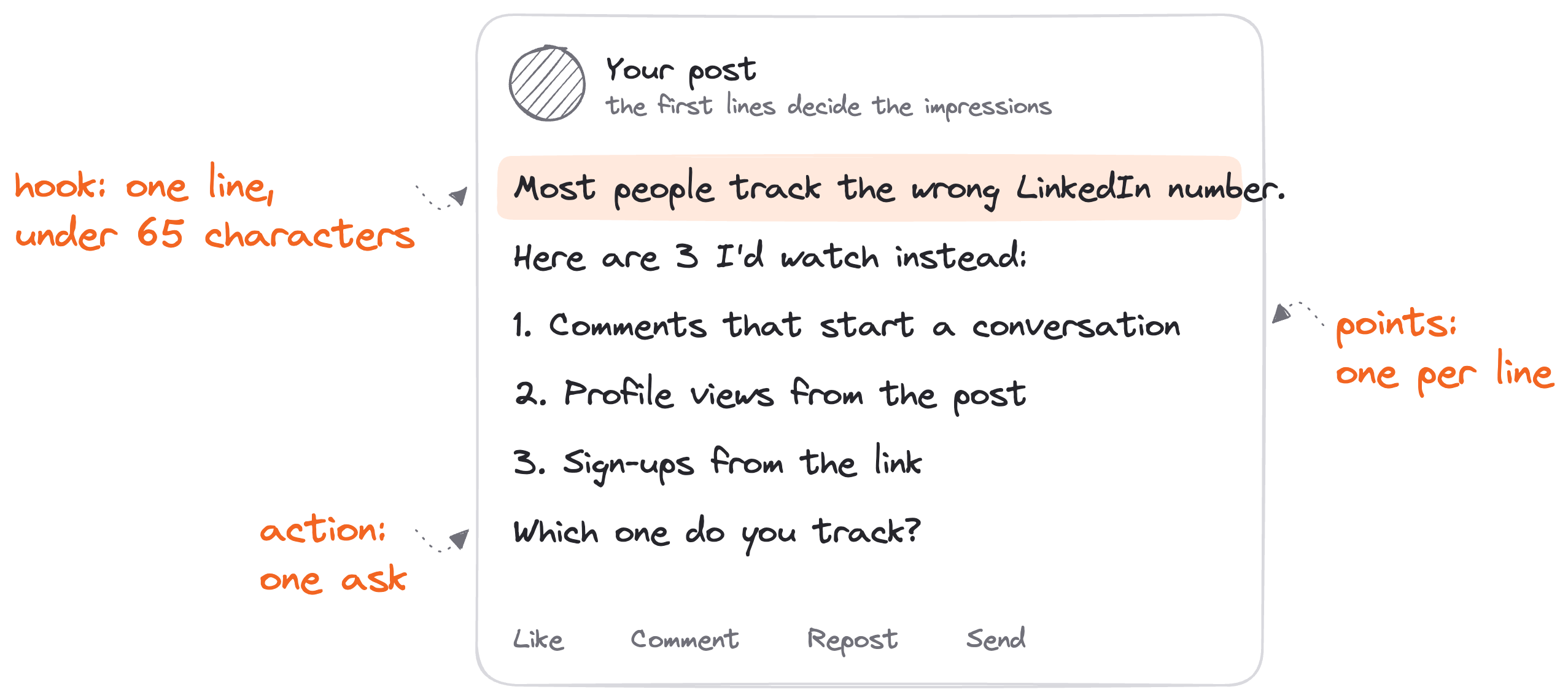
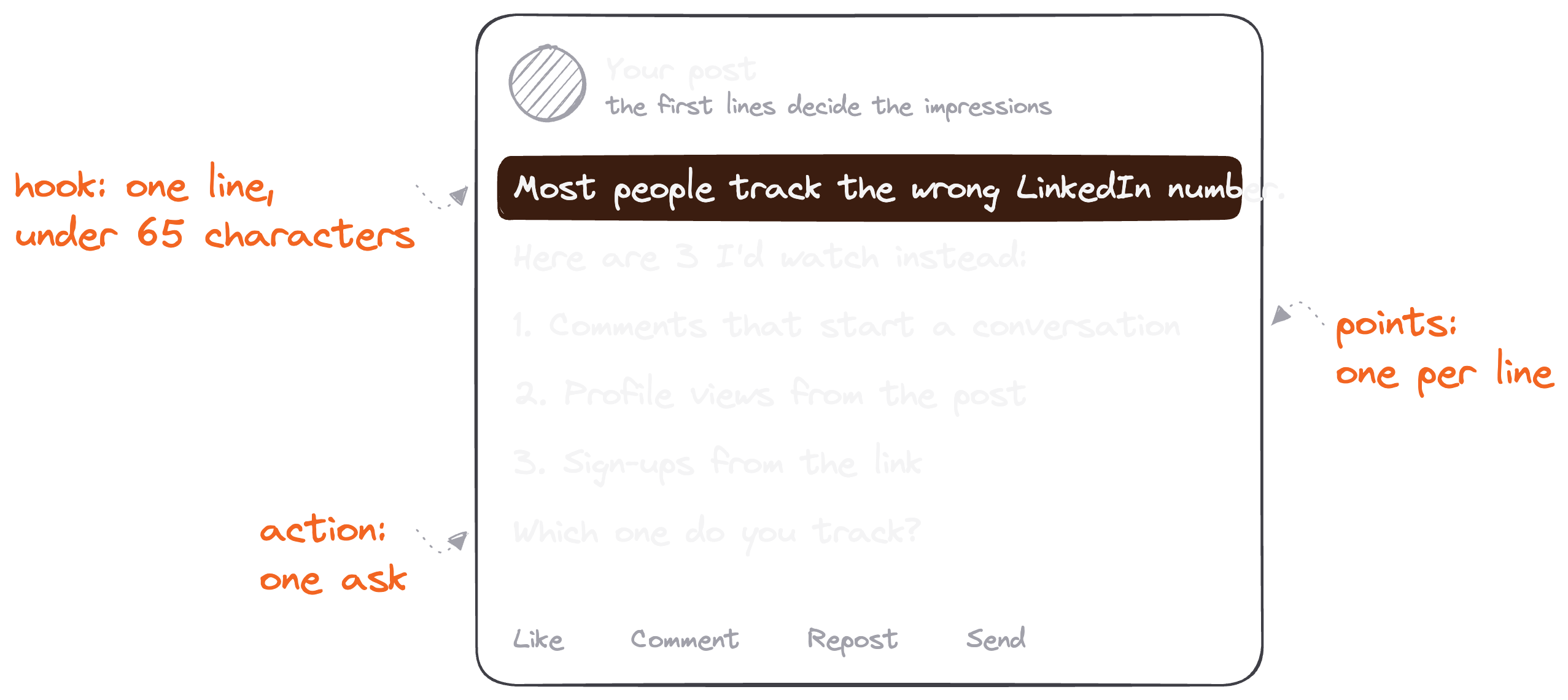
- Write the hook first. The first line is all most people see before "see more." Keep it short enough to land before the cut (we aim for under 65 characters), and make it a promise the reader wants kept. Our guide on how to write a hook walks through the formulas.
- Use one structure. Almost every LinkedIn post that works follows the same shape: a hook, a few main points, and one call to action. We call it Hook-Point-Action.
- Get the size right. A wall of text loses people on their phones. See how long a LinkedIn post should be for the character limits and the length that gets read.
- Write for one person. People follow you because you give them something that improves their life. A post that helps one reader travels further than a post about your job title.
- Post consistently. One post a month gives LinkedIn one chance to learn who your writing is for. A post every weekday gives it about 20.
Posting every weekday is the hard part, which is why we built a queue for it. In Typeshare you write a week of LinkedIn posts in one sitting, add each to your queue, and they go out one by one at your times. That's how to get more impressions on LinkedIn posts without opening LinkedIn every morning.
FAQ
What is the difference between impressions and views on LinkedIn?
LinkedIn's post analytics call the display count impressions: every time your post was displayed on a screen. For the number of different people who saw your post, look at members reached.
Do my own views count as impressions on LinkedIn?
According to LinkedIn's help page on post analytics, your own views, engagements, saves and sends count toward your analytics. On a small post, your own checking can move the number.
Why are my LinkedIn impressions so low?
Usually because the first line didn't stop people, so LinkedIn stopped showing the post. Check your in-network share too: if most impressions came from your own network and few from outside it, LinkedIn didn't push it further. Rewrite the hook and post again.
How long does LinkedIn keep my post analytics?
LinkedIn's help page says discovery and engagement counts for most posts are kept for 1,000 days, members reached for 400 days, and demographic breakdowns for 180 days. Article and newsletter analytics are kept for two years.
Can I see LinkedIn impressions in Typeshare?
No. LinkedIn doesn't share views or impressions with Typeshare, only likes, comments and reposts. Typeshare's Analytics scores LinkedIn posts on those engagements. For impressions, open the post's analytics on LinkedIn.